13
Installing the Memory Card
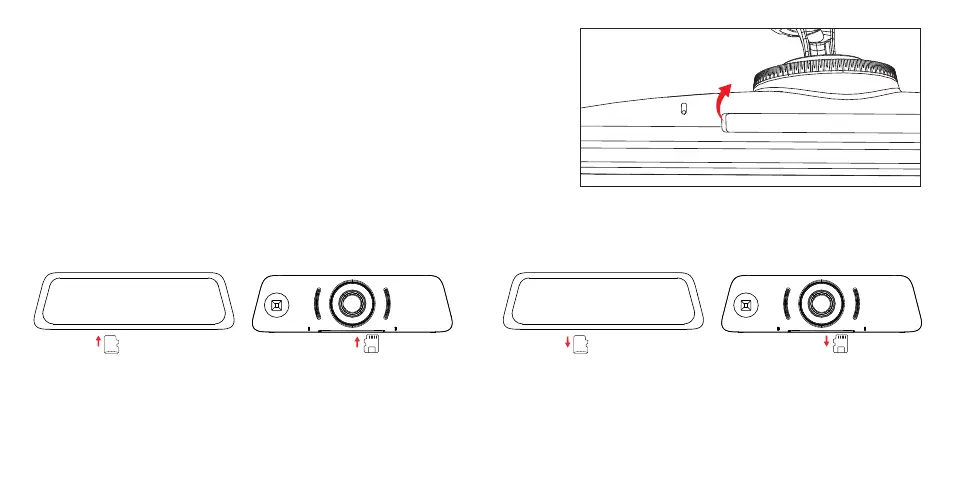
Installing/Removing the Memory Card
Note: If the Micro SD card is not inserted, the system can be used as a rear view
monitor to display the real-time road conditions behind the vehicle.
This product does not provide a Micro SD card. It needs to be purchased separately
to use the continuous recording function.
1. Insert the Micro SD card into the slot and take care to insert it in correct orientation.
Please press it until you hear a click sound and confirm that it is locked.
2. When removing the Micro SD card, please press the Micro SD card and pull it out after the card is ejected slightly.
Note:
1. The first time you insert the Micro SD card, please format the SD card via the dash cam : Settings>> General setting>> Format SD card.
2. Be careful not to lose the SD card when it ejects from the slot.
(1) (2)



 To Next Page