18
You can turn the grid lines on or off by tapping > Movie Mode> Reverse Line Switch.
2. Grid Lines Show up Manually
The screen will show the rear camera image with grid lines when your finger slides to the right on the screen before shifting into reverse. Sliding
to the right on the screen again will end the reversing mode.
Note: When sliding to the right on the screen, please put your fingers under the brightness adjustment area.
Grid Lines Adjustment
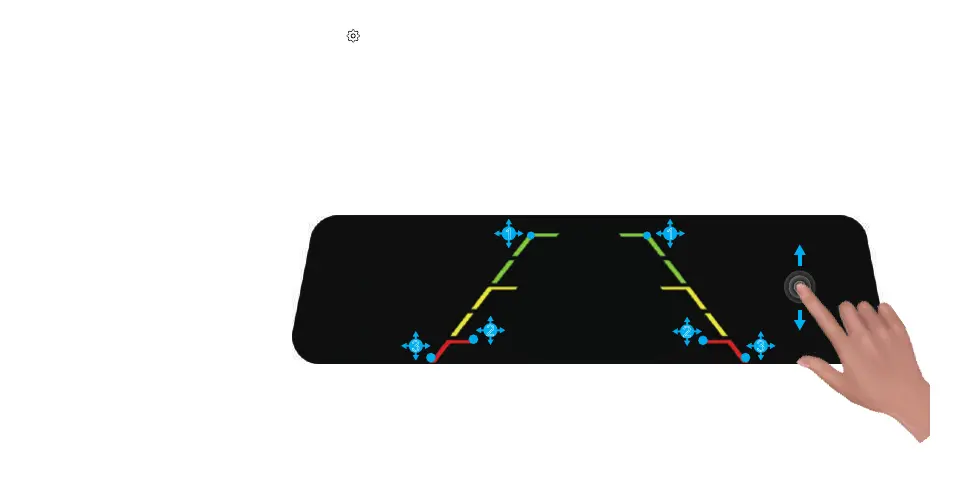
-Tap point 1/3 and hold it, move the grid lines to desired position.
-Tap point 2 and hold it, move it right or left to extend or shorten the grid lines length horizontally. Move it up or down to adjust the distance
among red, yellow, and green lines.
Note: Move up or down in non-grid lines
area to adjust reversing view angle.
3
2
2
1
3
1



 To Next Page