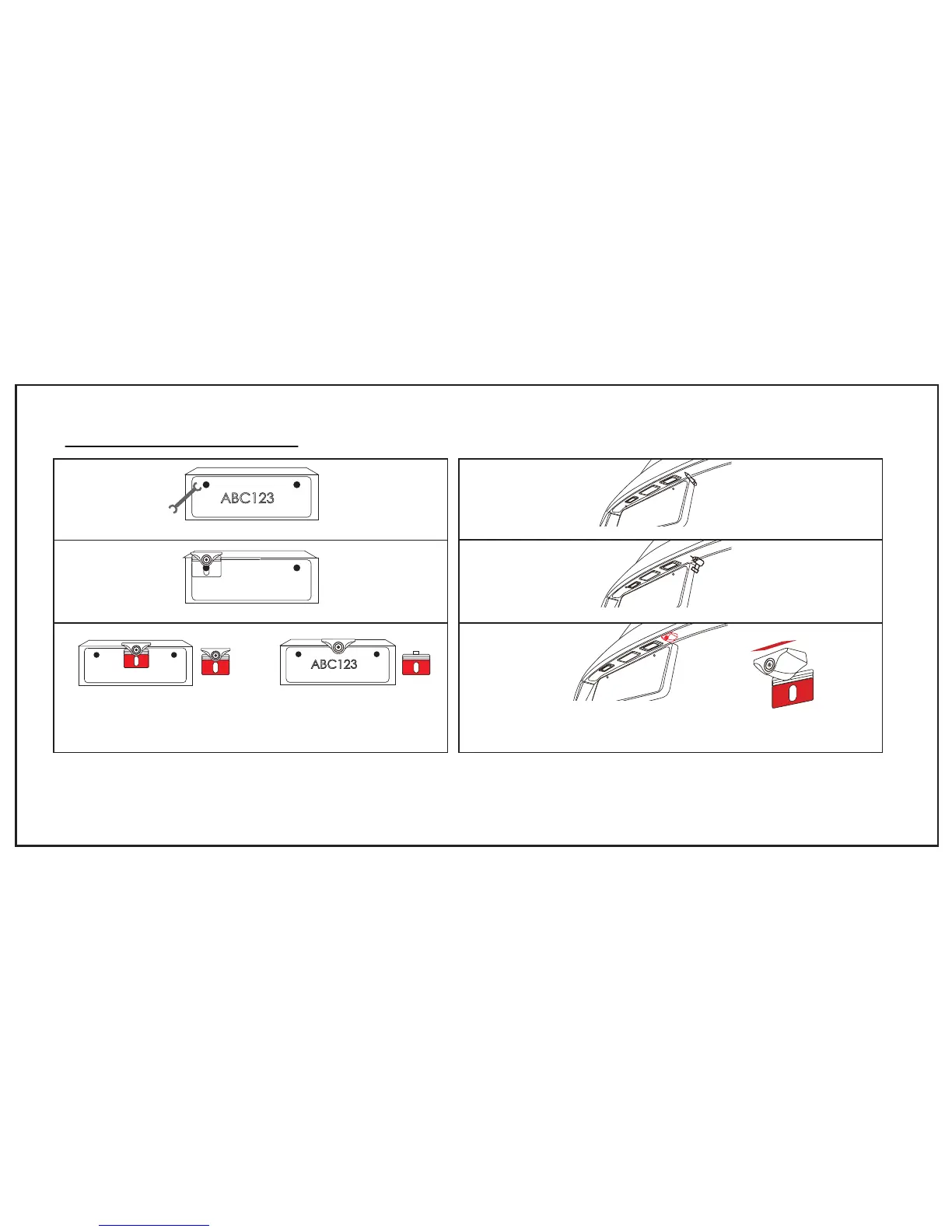
INSTALLING BACKUP CAMERA
15
Step3 Remove the bracket B and stick the 3M tape to backup camera
A, then stick the camera to your mark on tailgate.
Warmly reminder:
1.Please keep the place dry and clear where you stick the 3M adhesive tape to in your car tail.
2.For strong adhesiveness, please do not remove or adjust your backup camera constantly in 12 hours.
Step3 Tear off the film A of the 3M adhesive and fix it to the marked
location. Tear off the film B of the 3M adhesive then attach it to the
license plate. Then tighten the screws with wrench.
A B
A
B
Step1 Loose the screws on the license plate with wrench.
Step2 Install the camera bracket behind the license plate.
Step2 Drilling a hole and threading
(A)
(B)
ABC123
Step1 Find a best location and make a mark.
ABC123



 To Next Page