12
DAB+ Search
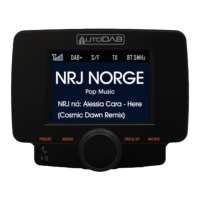
1. Press the MODE button until DAB mode is found.
2. Use the Tuning Knob to select the desired DAB+ channel.
3. Alternatively, to view DAB+ stations in a list, press the MENU
button. Use the Tuning Knob to scroll up or down to select
the desired DAB+ channel and press the MENU button again
to select.
4. You may also press and hold the TX/SCAN button for 3
seconds to re-activate the Auto Scan process if you need to
update the DAB+ radio channels.
Note: For normal use, you don’t have to perform Auto Scan every
time you use the car DAB+ radio unless there are newly added DAB+
channels, in which case you may need to perform Auto Scan again.


 To Next Page