Need help?
Do you have a question about the Automate 5304A and is the answer not in the manual?
Instructions for connecting the remote control to the AC adapter for charging.
Guide to performing basic and advanced system commands and understanding confirmations.
Explains how fault conditions affect command activation and system feedback.
Instructions for arming the system and activating the panic feature.
Steps to disarm the vehicle's security system.
Instructions for performing silent arming and disarming of the system.
How to activate or deactivate the auxiliary output 1.
Steps to incrementally bypass system sensors and understand bypass status.
How to enter and exit Valet Mode using the remote control.
How to arm the system silently with sensor alerts deactivated.
Using the remote to locate the vehicle by activating siren and lights.
How to activate or deactivate the auxiliary output 3.
Arming the system silently with all alerts deactivated.
How to activate or deactivate the auxiliary output 4.
Activating the vehicle's defogger circuit via remote start.
Instructions for navigating and selecting features within the remote's menu system.
How to use remote buttons to access menus, set options, and perform actions.
Step-by-step guide to entering and navigating the remote's configuration menus.
Configuring the automatic locking of remote control buttons for security.
Settings for automatically unlocking the remote keypad after ignition off.
Configuring how the remote monitors and receives system messages.
Selecting how the remote alerts the user to system messages (tone, vibe, screen).
Configuring the information displayed during remote start (runtime, temp, clock).
Setting up alerts for when the remote start runtime is about to expire.
Configuring the remote to control a second vehicle or a home security system.
Adjusting backlight, temperature unit, and button beep settings.
Setting the system type (Security/RKE) and adjusting the clock settings.
Procedures for adjusting sensors and pairing new remote controls with the system.
Activating demo mode for showcasing system features and animations.
Instructions for powering off the remote and exiting configuration menus.
Explanation of the Status LED and starter kill relay for system arming.
Details on how the system responds to minor (Warn-away) and major (Full Trigger) impacts.
How sensor triggers are handled silently without siren or light flash.
System arming with silent alerts and defeated parking light/siren outputs.
Steps to disarm the system when the remote is not available.
How the system reports faulty trigger zones when armed.
Details on the alarm triggers reported upon disarming the system.
How to request and view the system's most recent alarm triggers.
Explanation of how the system prevents nuisance alarms by bypassing zones.
How to exit the vehicle with the engine running for short stops.
Steps to transfer control from remote start to the vehicle's ignition.
Ensuring doors are locked and how to disable remote start functionality.
Important safety precautions for using Timer Start and Smart Start features.
Explanation of how Timer Start automatically starts the engine based on set intervals.
How Smart Start uses temperature and battery level for automatic engine starts.
How the system reports vehicle interior temperature changes during remote start.
Specific procedures and requirements for remote starting manual transmission vehicles.
Alerts received when the remote start runtime is nearing expiration.
How to keep the engine running for a set duration after driving.
Key safety features that prevent remote start activation if conditions are not met.
Automatic system arming after exiting the vehicle.
Automatic re-arming of the system after disarming if the vehicle is not entered.
Temporarily bypassing passive arming for a single cycle.
How to enter and exit Valet Mode manually or via remote command.
Features for reducing power consumption and automatic remote control updates.
Troubleshooting steps when the remote fails to confirm commands.
Understanding and resolving 'Feature Not Available' messages.
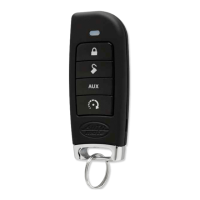
How to perform basic and advanced commands using the 1-way remote.
Procedure for bypassing sensors using the 1-way remote and understanding confirmations.
Recommendations for professional sensor adjustments to avoid false triggers.
Details on 1-way remote battery type, low battery alerts, and replacement steps.
Configuring the system to control multiple vehicles with one remote.
System customization based on the recognized user's remote.
Automatically closing windows and sunroofs with OEM keyless entry.
Adjusting the length of time the siren sounds during an alarm event.
Configuring door unlocking to emulate OEM driver priority.
Activating convenience features like trunk release or window control via auxiliary channels.
How the remote alerts the user when the battery level is critically low.
Tips for extending the battery life of the Responder LC remote.
Mandatory requirements for professional installation by an authorized dealer.
Essential safety warnings for operating the remote start system.
Specific procedures for remote starters on manual transmission vehicles.
Information on radio interference affecting product performance.
Guidelines for product upgrades and battery installations by authorized dealers.
Warning that the product is not water or heat-resistant and care instructions.

 To Next Page
 General