EasyManua.ls Logo

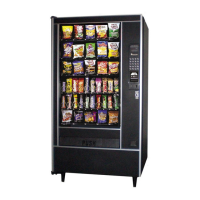
Automatic Products SNACKSHOP LCM1 Series - User Manual

Automatic Products SNACKSHOP LCM1 Series
52 pages
Print Icon
To Next Page IconTo Next Page
Loading...
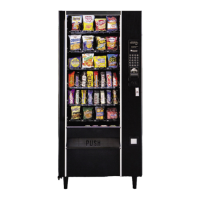
SNACKSHOP LCM1-LCM2
SNACKSHOP LCM1-LCM2
SNACKSHOP LCM1-LCM2
SNACKSHOP LCM1-LCM2
SNACKSHOP LCM1-LCM2
SNACKSHOP LCM1-LCM2
instruction manual for
75 WEST PLATO BOULEVARD • ST. PAUL, MINNESOTA 55107-2095
$3.00

Questions and Answers

  • D
    dpenaAug 15, 2025
    How to fix an Automatic Products Vending machine that won't take bills?
    • B
      Barbara SimpsonAug 16, 2025
      If your Automatic Products Vending machine won't take bills, ensure the coin tubes are filled. If the belts or stacker aren't running on power-up, check for 24 VAC at P1. If the belts run but the bill is only partially accepted, consider replacing the validator.
  • A
    Anthony WilliamsAug 19, 2025
    Why does my Automatic Products Vending machine have no power?
    • J
      James GrahamSep 12, 2025
      If your Automatic Products Vending machine has no power, check the wall outlet for correct wiring and the line cord. If the lights work but there's no power to the board, check transformer outputs and circuit breakers. Also check wiring connections to the board. A defective power board may also be the reason, so consider replacing it. For a blank display on LCM machines, check for 24VAC at the white wires at P1.
  • M
    Michelle SmithAug 21, 2025
    What to do if the motor doesn't home on door close in my Automatic Products Vending machine?
    • M
      Monica NolanAug 21, 2025
      If the motor in your Automatic Products Vending machine doesn't home when the door closes, check for correct voltages. If voltages are correct, the door switch or the board could be defective, requiring replacement.
  • B
    beth35Aug 25, 2025
    What to do if my Automatic Products Vending machine won't take coins?
    • S
      sleonardAug 26, 2025
      If your Automatic Products Vending machine won't take coins, verify the wall outlet, line cord, and voltage. A defective changer or circuit breaker could also be the cause, in which case you should replace them. If the machine only accepts one coin, reprice and test the machine because it may have lost its vend prices. For no power to coin payouts, replace the power board or logic board on LCM machines.
  • J
    Jamie BriggsAug 28, 2025
    What to do if my Automatic Products Vending machine says 'Use correct change'?
    • C
      curryashleyAug 28, 2025
      If your Automatic Products Vending machine displays 'Use correct change', first refill the coin tubes. If the message persists even with full tubes, the coin mechanism may be defective and needs replacement.
  • J
    Jeffrey BarajasAug 30, 2025
    Why won't my Automatic Products Vending machine payout coins or is returning incorrect change?
    • B
      Brandon EdwardsAug 31, 2025
      If your Automatic Products Vending machine won't payout coins or returns incorrect change, start by checking the voltages. The power board or coin mechanism could be defective and may need replacement. Also, check for and remove any jammed coins in the tube.
  • O
    Oscar RodriguezSep 3, 2025
    What to do if my Automatic Products Vending machine says 'make another selection'?
    • P
      pfordSep 3, 2025
      If your Automatic Products Vending machine says 'make another selection', home the motor and retry, or for LCM, do a mode 5 test vend if motor 1 cycled 2. If a selection lost its price, reset prices. If a motor won't turn, swap shelves and retry. Also check the shelf harness connection to the board, and check 24VAC to logic board (white wires for LCM).
  • J
    Javier PerezSep 5, 2025
    Why do the spirals turn more than one turn on my Automatic Products Vending machine by Automatic Products?
    • J
      John SmithSep 6, 2025
      If the spirals in your Automatic Products Vending machine turn more than one turn, it could be due to a capacitor discharging current (re-solder or replace the motor), a loose wire on the motor (repair the wire), a defective motor switch (replace the switch), a defective control board (replace the board), or incorrect vend motors installed (use gray or black bodied motors for LCM).
  • Q
    qromeroSep 8, 2025
    Why do more than one motor turn together in my Automatic Products Vending machine?
    • T
      Tyler MurphySep 8, 2025
      If more than one motor turns together in your Automatic Products Vending machine, check each individual motor for a loose or pinched wire, as one of the motor wires might be shorting out. Alternatively, the control board could be defective and need replacement.
  • J
    Jorge JacksonSep 12, 2025
    Why does the coin mechanism jackpot on my Automatic Products Vending machine?
    • S
      Steven Wright MDSep 12, 2025
      If your Automatic Products Vending machine coin mechanism jackpots, check the voltages, ensuring they're within ±10%. The coin mechanism or control board might be defective, requiring replacement.

Summary

Express Warranty

Machine Capacities

LCM1 Capacities and Product Size

Details machine capacities and product size compatibility for LCM1 models.

LCM2 Capacities and Product Size

Details machine capacities and product size compatibility for LCM2 models.

Operations Guide

Unpacking and Installation

Unpacking Procedures

Step-by-step guide for safely unpacking the vending machine.

Machine Leveling

Procedures for leveling the vending machine using leg screws for stability.

Voltage and Polarity Check

Method for checking machine voltage and polarity using a voltmeter.

Loading Snack Shelves

Instructions on how to properly load products into snack shelves.

Spiral Removal and Installation

Steps for removing and reinstalling vending spirals in shelves.

Product Spacers and Loading

Using spacers to adjust product width and loading candy shelves.

Product Pusher Installation

How to install a product pusher to aid vending.

Shelf and Price Tab Installation

Securing product shelves and installing price tabs.

Program Operation

Control-Service Mode

Entering and exiting the machine's service mode for diagnostics and settings.

Accountability Mode

Accessing vend counts, cash sales, and other accountability data.

Price and Test Vending

Setting prices and performing test vends for selections.

Diagnostic and Vend Options

Running diagnostic tests and configuring vend option settings.

Components

Troubleshooting

Power and Coin Issues

Troubleshooting steps for power failures and coin acceptance problems.

Bill and Selection Issues

Troubleshooting for bill handling and selection vending problems.

Spiral and Motor Issues

Diagnosing problems with spirals turning and motor operation.

Service Mode and Coin Mech Issues

Troubleshooting entry to service mode and coin mechanism jackpots.

Multi-Drop Bus Errors

Connector Pinouts

Automatic Products SNACKSHOP LCM1 Series Specifications

General IconGeneral
BrandAutomatic Products
ModelSNACKSHOP LCM1 Series
CategoryVending machines
LanguageEnglish

Related product manuals