EasyManua.ls Logo

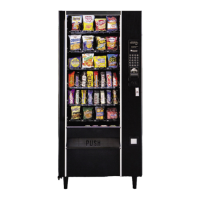
Automatic Products SNACKSHOP LCM3 Series - User Manual

Automatic Products SNACKSHOP LCM3 Series
81 pages
Print Icon
To Next Page IconTo Next Page
Loading...
SNACKSHOP LCM3-LCM4
SNACKSHOP LCM3-LCM4
SNACKSHOP LCM3-LCM4
SNACKSHOP LCM3-LCM4
SNACKSHOP LCM3-LCM4
SNACKSHOP LCM3-LCM4
instruction manual for
75 WEST PLATO BOULEVARD • ST. PAUL, MINNESOTA 55107-2095
$3.00

Questions and Answers

  • L
    lisa23Aug 14, 2025
    What to do if my Automatic Products Vending machine won't take coins?
    • C
      Colin HaleyAug 14, 2025
      If your Automatic Products Vending machine won't take coins, first ensure the machine has power by checking the wall outlet, line cord, and voltage. If the machine only accepts one coin, it may have lost its vend prices, so reprice and test. A defective changer or circuit breaker could also be the cause, so consider replacing them. For no power to coin payouts on LCM machines, replace the power board or logic board.
  • D
    Dr. Stephanie WilsonAug 17, 2025
    How to fix 'use correct change' message on Automatic Products SNACKSHOP LCM3?
    • N
      Nancy May MDAug 17, 2025
      If your Automatic Products Vending machine displays 'use correct change', first, refill the coin tubes. If the message persists with full coin tubes, the coin mechanism may be defective and needs replacement.
  • P
    Patricia LeeAug 21, 2025
    How to troubleshoot no power in Automatic Products SNACKSHOP LCM3?
    • T
      Tracy ScottAug 21, 2025
      If the Automatic Products Vending machine has no lights, check the wall outlet for correct wiring and the line cord. If the lights are working, but there is no power to the board, check the transformer outputs and circuit breakers. Also, verify the wiring connections. If the display is blank on LCM machines, check for 24VAC at the white wires at P1. If none of these steps work, the power board may be defective and require replacement.
  • D
    Danielle EvansAug 25, 2025
    Why Automatic Products Vending machine won't payout coins or returns incorrect change?
    • R
      Robert BellAug 25, 2025
      If your Automatic Products Vending machine won't payout coins or returns incorrect change, start by checking the voltages. If the voltage is correct, the power board or coin mechanism may be defective and need to be replaced. Also, check for jammed coins in the tube and remove them.
  • S
    susan77Aug 27, 2025
    What to do if Automatic Products Vending machine won't take bills?
    • J
      Joshua RobinsonAug 27, 2025
      If your Automatic Products Vending machine won't take bills, ensure the coin tubes are full. If the belts or stacker don't run on power-up, check for 24 VAC at P1. If the belts run but the bill is only accepted halfway, consider replacing the validator. Also, check the shelf harness connection to the board. If a selection lost its price, reset the prices. If 'Motor 1? cycled 2', home the motor and retry, or for LCM, do mode 5 test vend. If the motor won't turn, swap shelves with another shelf and retry.
  • C
    Claudia GreenAug 31, 2025
    Why does the coin mechanism jackpot in Automatic Products SNACKSHOP LCM3?
    • J
      John MorrowAug 31, 2025
      If the coin mechanism in your Automatic Products Vending machine is jackpotting, check the voltage, ensuring it's within ±10%. If the voltage is correct, the coin mechanism or the control board may be defective and require replacement.
  • J
    Jessica BryanSep 3, 2025
    Why do the spirals turn more than one turn in Automatic Products Vending machines?
    • M
      Matthew WilliamsSep 3, 2025
      If the spirals in your Automatic Products Vending machine turn more than one turn, it could be due to a capacitor discharging current; try re-soldering the capacitor or replacing the motor. A loose wire on the motor could also be the cause, so repair the wire. Alternatively, the motor switch or control board may be defective, requiring replacement.
  • J
    Jennifer LoweSep 6, 2025
    Why more than one motor turns together in Automatic Products Vending machines?
    • H
      hallshaneSep 6, 2025
      If more than one motor turns together in your Automatic Products Vending machine, check each individual motor for a loose or pinched wire, as one of the motor wires may be shorting out. A defective control board could also cause this issue, requiring replacement. For LCM machines, ensure gray or black bodied motors are installed, as incorrect vend motors could be the cause.
  • N
    Nicholas KeySep 9, 2025
    Why motor doesn't home on door close in Automatic Products SNACKSHOP LCM3?
    • R
      Ryan JohnsonSep 9, 2025
      If the motor in your Automatic Products Vending machine doesn't home when the door is closed, first check for correct voltages. If the voltage is correct, the door switch or the board may be defective and need to be replaced.

Summary

Warranty Information

Operation Guide

Control, Setup, and Pricing

Procedures for machine setup, service mode, and setting product prices.

Unpacking and Initial Setup

Installation Procedures - Part 1

Machine Leveling and Electrical Checks

Ensuring the machine is level and performing electrical safety checks.

Installation Procedures - Part 2

Program Operation - Part 1

Control-Service Mode and Pricing

Entering service mode and procedures for setting product prices.

Program Operation - Part 2

Component Identification - Shelves

Component Identification - Major Assemblies

Cleaning and Maintenance

Refrigeration Assembly

Diagram of Refrigeration Assembly

Exploded view diagram of the refrigeration assembly and its components.

Condensing Unit Assembly

Diagram of Condensing Unit Assembly

Exploded view diagram of the condensing unit and its parts.

Cold Control;Timer Assembly

Vend Motor Assembly

Diagram of Vend Motor Assembly

Exploded view diagram of the vend motor assembly and its parts.

Main Junction Box

Connectors

Connector Pinouts

Troubleshooting Guide - Part 1

Power, Coin, and Bill Issues

Common causes and remedies for power, coin, and bill acceptance problems.

Troubleshooting Guide - Part 2

Motor, Change, and Service Mode Issues

Solutions for motor, change, and service mode entry problems.

Multi-Drop Bus Errors

Wiring Diagrams - Part 1

Control Board and Motor Wiring

Diagrams showing control board connections, motor wiring, and shelf sockets.

Wiring Diagrams - Part 2

Refrigeration and Power Supply Wiring

Schematics for refrigeration unit, power supply, transformer, and junction box connections.

Automatic Products SNACKSHOP LCM3 Series Specifications

General IconGeneral
BrandAutomatic Products
ModelSNACKSHOP LCM3 Series
CategoryVending machines
LanguageEnglish

Related product manuals