EasyManua.ls Logo

Auvon AS8012C - User Manual

Auvon AS8012C
40 pages
Print Icon
To Next Page IconTo Next Page
Loading...
Quick Guide
Attention
The purpose of this Quick Guide is to help you
understand the operation of the TENS unit much
more quickly, and the contents of the quick guide
are not a substitute for the user manual. Please
read the user manual carefully before use to un-
derstand the contraindications and warnings.
Please consult your doctor before use if you’re not
sure whether you can use this device.
Operation
Note: Do not use it while charging.
1. Clean the applica-
tion areas.
2. Connect the lead
wire to a pair of pads
and the device.
Note: Keep the unit
off.

Other manuals for Auvon AS8012C

Questions and Answers

Summary

Attention

Operation Steps Overview

Pad Placement Guide

Understanding TENS Therapy

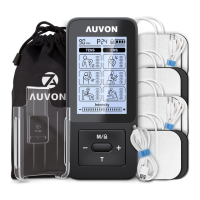
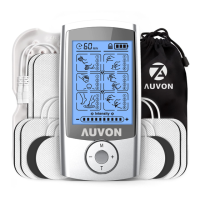
Standard Package Contents

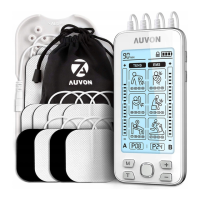
List of items included in the AUVON Dual Channel TENS Massager package.

Product Features and Specifications

Device Illustrations and Controls

Operating Instructions

How to Use the Device (Steps 1-2)

Cleaning skin and connecting electrode pads to the TENS unit.

How to Use the Device (Steps 3-5)

Attaching pads, turning on the device, and selecting channels.

How to Use the Device (Steps 6-7)

Choosing operating modes and adjusting intensity levels.

How to Use the Device (Steps 8-9)

Setting the timer and locking/unlocking the device screen.

After Using the Device

Recommended Massage Points

Mode and Intensity Instructions

Intensity Recommendation

Advice on setting and adjusting intensity for effective and comfortable use.

Time Recommendation

Recommendations for the duration of TENS therapy sessions.

Expected Feelings for Each Mode

Descriptions of sensations experienced with different TENS and PMS modes.

Mode Specifications

Technical details of pulse rate and width for each of the 24 available modes.

TENS Pads Holder

Pads Holder Features

Highlights the material, compatibility, and design of the pads holder.

Pads Holder Instructions

Steps on how to use the pads holder to protect and store electrode pads.

Safety Precautions and Warnings

Pain Management Warnings

Advice on consulting healthcare professionals and potential risks associated with use.

Prohibited Conditions and Individuals

Lists conditions and individuals for whom the device is not suitable.

Prohibited Body Areas

Specifies body regions where the TENS unit should not be applied.

Prohibited Activities

Lists activities to avoid while using the TENS device.

Pads Handling Precautions

Guidelines for proper care, application, and connection of electrode pads.

Trouble Shooting Guide

Pads Not Working Correctly

Troubleshooting steps for pad connectivity and function issues.

Pads Adhesion and Sensation Issues

Solutions for pads losing adhesion or providing weak intensity.

Skin and Connection Problems

Addressing skin irritation and lead wire connection problems.

Device Power and Reset Issues

Troubleshooting for device failure to turn on or reset.

Settings Adjustment Problems

Resolving issues with adjusting modes, intensity, or timer settings.

Intensity and Battery Issues

Solutions for perceived low intensity and low battery warnings.

Charging and Power Interruption Issues

Troubleshooting charging, USB connection, and power cut problems.

Understanding Device Symbols

Product Certification and Support

Auvon AS8012C Specifications

General IconGeneral
ModelAS8012C
Intensity Levels20
ChannelsDual
Timer10-60 minutes
BatteryRechargeable Lithium
DisplayLCD

Related product manuals