4
Mobile device compatibility
Ava syncs with the following operating systems and devices:
• iOS 9.0 or later
• Android 5.0 or later
Getting Started
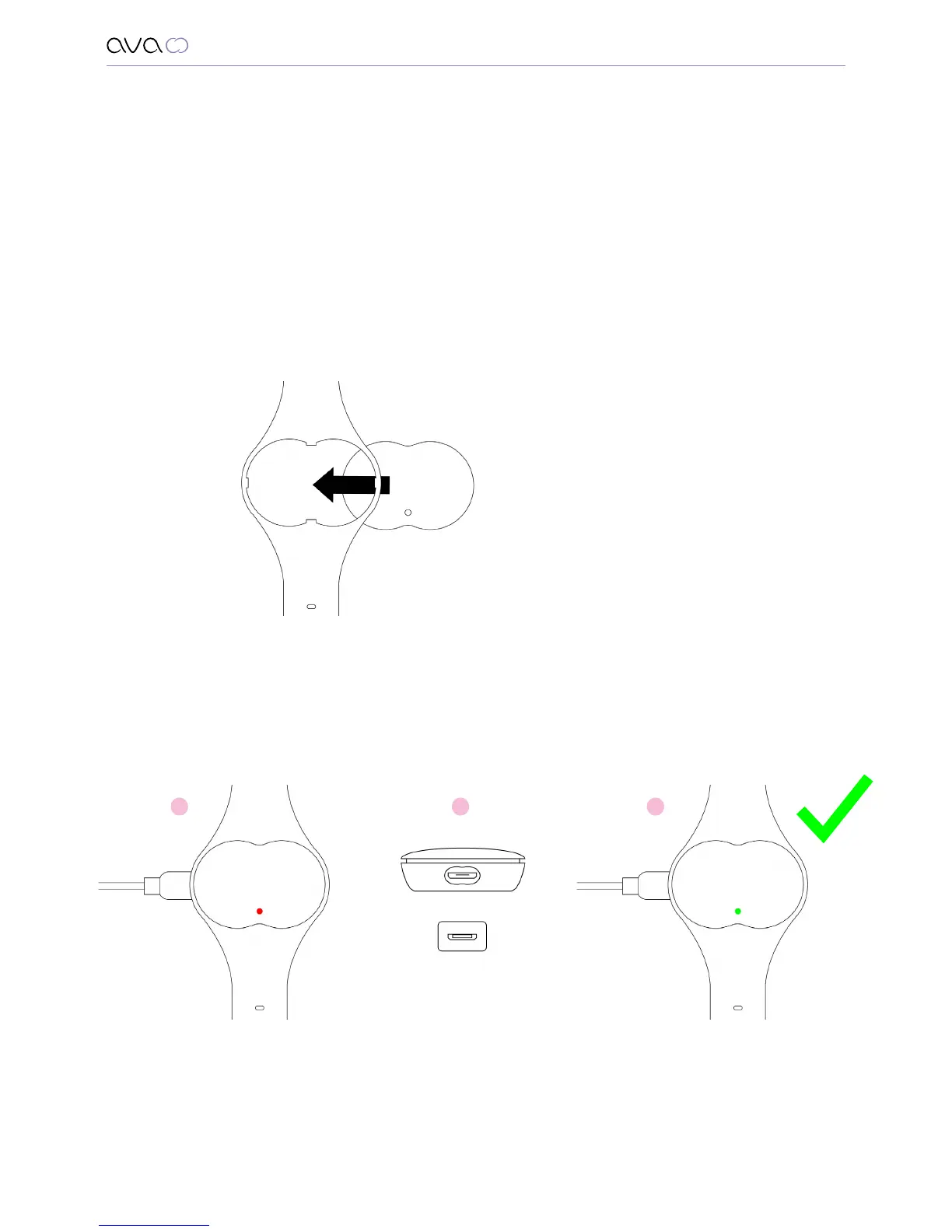
Aaching the sensor pod to the bracelet
Attach the sensor pod to the bracelet by aligning the front of the pod with
the braces of the band and pressing it into the strap from the underside.
Charging Ava
1. Connect Ava to power through the USB cable that is provided.
2. The USB cable can only be inserted into the Ava in (1) way. Please ensure you match
the USB cable head and align it with the corresponding trapezoid shape of Ava’s
USB port before inserting the cable.
3. Wait until the LED turns green (this will not take longer than 2 hours).
Getting started
1 32


 To Next Page