Quad • Mounting guide | 13
Wall mount
1 2 3
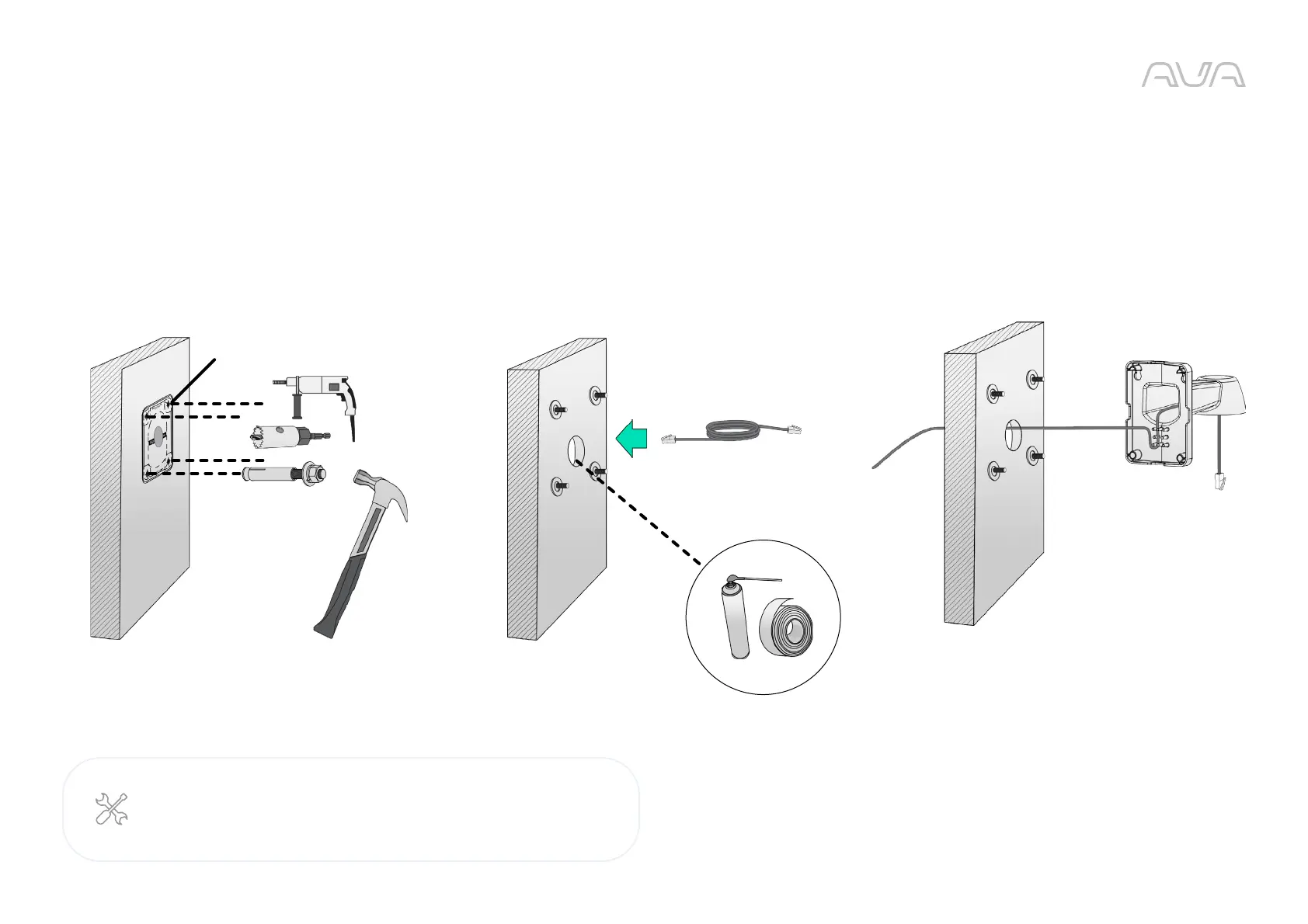
Attach the alignment sticker to the wall. Drill 4 holes for screws
and 1 hole for routing cable.
Leave one washer on each threaded pole. Connect the Ethernet
cable and use foam tapes or seal foam to ensure the back-end
connection is waterproof.
Route the cable along the routing guide poles to form drip loop.
Required:
ACQ-WAL-MNT Wall mount bracket
Ø9.5mm or 3/8”



 To Next Page