Quad • Mounting guide | 15
Pole / Corner mount
1 3
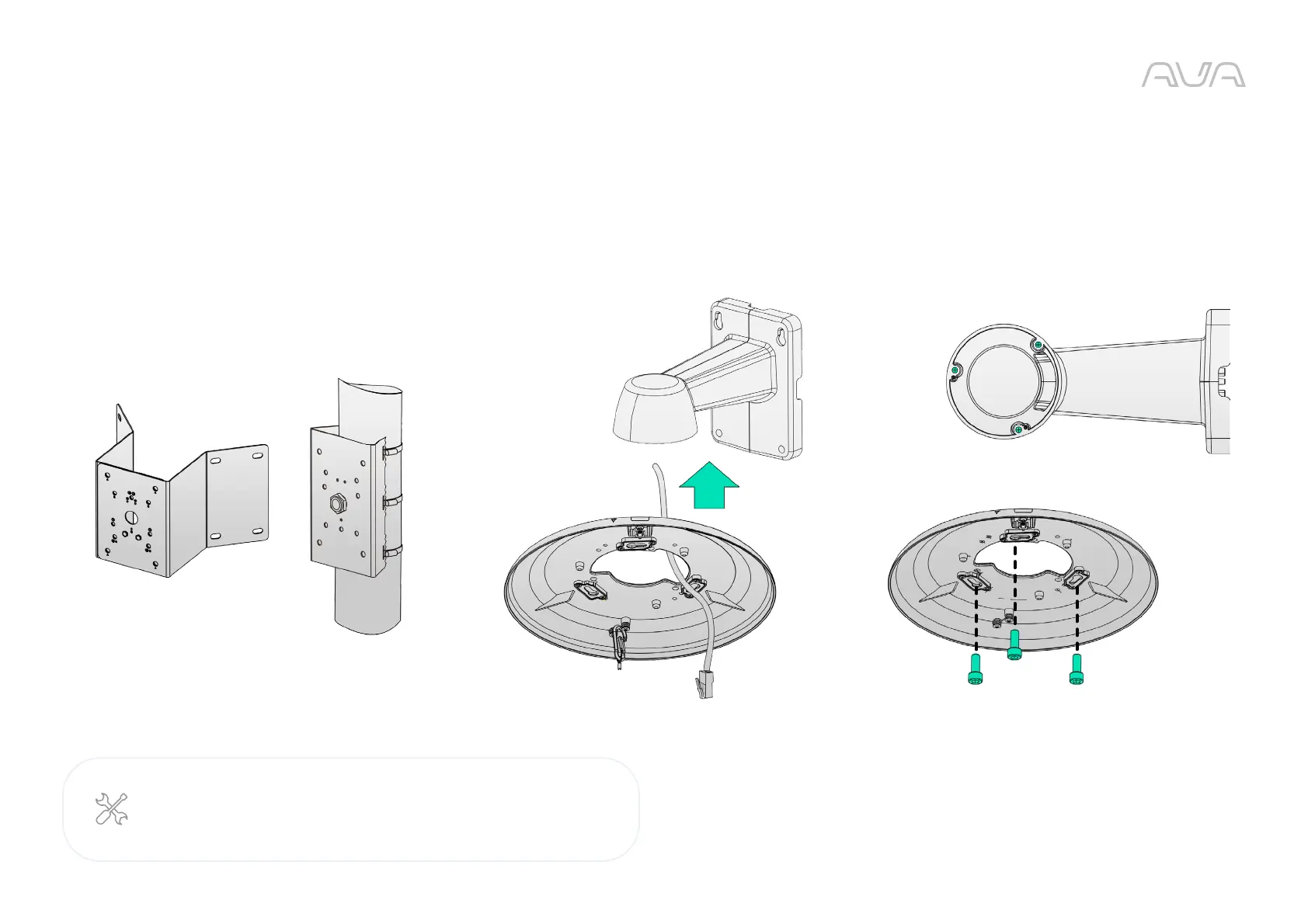
Secure the top mounting plate.Install the pole bracket to the pole wrapping the metal bands
around the pole. Or install the corner bracket to the corner using
correct type of screws.
Install the wall mount bracket to the pole or corner bracket as
described on the previous page. Align the top mounting plate with
the center of the wall mount bracket.
2
Required:
ACQ-WAL-MNT Wall mount bracket
ACQ-POL-MNT Pole bracket or ACQ-CRN-MNT Corner bracket



 To Next Page