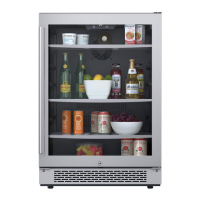
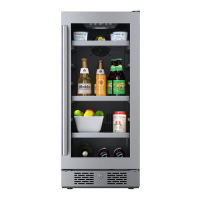
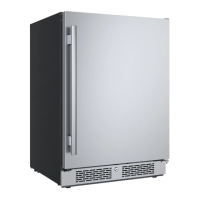
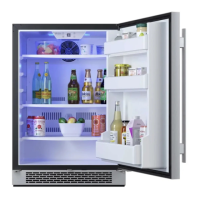
This document describes the Avallon Undercounter Wine Refrigerator, models AWC152DZRH and AWC152DZLH, providing an owner's manual with essential information for installation, operation, and maintenance.
Function Description
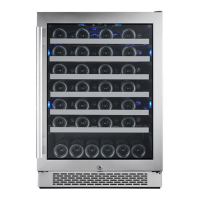
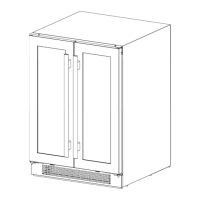
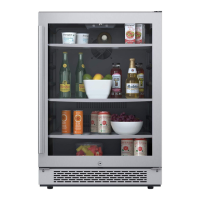
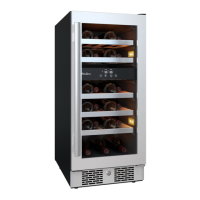
The Avallon Undercounter Wine Refrigerator is designed for domestic indoor use to store wine. It features dual temperature zones, allowing for different temperature settings in the upper and lower compartments to accommodate various types of wine. The unit is equipped with a compressor-based cooling system, an internal fan for consistent temperature, and a carbon filter to protect contents from harmful odors. It can be installed as a freestanding unit or built-in under a counter, provided adequate ventilation is maintained. The refrigerator is designed to maintain temperatures between 40°F and 65°F (4°C and 18°C) in both zones.
Usage Features
The refrigerator is controlled via a user-friendly temperature control panel located inside the unit.
- Power Button: This button turns the unit on and off. Press and hold for approximately 3 seconds to toggle power.
- Light Button: This button controls the internal lighting. Users can cycle through three light colors: blue, white, and amber. Pressing and holding the light button for three seconds switches between Automatic Light Mode and Constant Light Mode. In Automatic Light Mode, the lights illuminate when the door is opened and fade off when closed, triggered by a sensor on the front vent. In Constant Light Mode, the lights remain continuously illuminated.
- Up and Down Buttons: These buttons allow users to increase or decrease the temperature in 1-degree increments for each zone.
- Temperature Unit Toggle: To switch between Celsius (°C) and Fahrenheit (°F), press and hold both the Up and Down buttons simultaneously for approximately 3 seconds. A beep will sound, and the corresponding indicator light will illuminate.
- Run Light: An indicator light on the control panel illuminates when the unit is in cooling mode.
- Sabbath Mode: The refrigerator includes a Sabbath Mode, which disables all lights, displays, and alarms while maintaining cooling. To enter Sabbath Mode, hold the Power button and press the Up button twice. The control panel will beep twice to confirm entry. The same action is used to exit Sabbath Mode.
- Temperature Memory Function: In case of a power outage, the refrigerator will recall and restore the previously set temperature once power is restored. It is recommended to allow at least 24 hours for the unit to reach the desired temperature after a power restoration.
- Temperature Alarm: If the interior temperature exceeds 73°F (23°C), "HI" will be displayed, and an alarm will sound continuously after one hour. If the temperature drops below 32°F (0°C), "LO" will be displayed, and an alarm will sound after fifteen minutes.
- Door Ajar Alarm: An alarm will sound if the door remains open for more than three minutes, helping to prevent poor cooling performance and potential damage to the unit.
- Shelves: The unit includes shelves for organizing wine bottles. These shelves glide smoothly on tracks and can be removed for cleaning or to accommodate larger items. To remove a shelf, pull it out fully, then press down on the plastic post on the right side while pulling up on the left plastic post.
Maintenance Features
Proper cleaning and maintenance are crucial for the refrigerator's efficiency and longevity.
- Unpacking and Installation: Before use, all packaging materials, shipping tape, and glue must be removed. The unit should stand upright for at least 24 hours before plugging it in to allow compressor oils to settle. Installation requires two or more people to prevent injury.
- Leveling: The refrigerator must be installed on a firm, level surface. Leveling feet at the bottom of the unit can be rotated to adjust the height and ensure proper operation.
- Door Handle Installation: The door handle is installed by inserting Phillips head screws through the door from the gasket side, aligning the handle, and tightening the screws. Care should be taken not to over-tighten the screws to avoid damage.
- Carbon Filter Replacement: The built-in carbon filter acts as a natural barrier against odors and should be replaced every 3-6 months, or every 3 months if the unit is in a kitchen environment.
- Exterior Cleaning: The door and cabinet can be cleaned with a mild detergent and lukewarm water solution (e.g., 2 tablespoons of baking soda to 1 quart of water). A soft sponge should be used, followed by rinsing with clean water and wiping with a soft towel to prevent water spotting. Abrasive or caustic cleaning agents should be avoided, especially on stainless steel surfaces.
- Interior Cleaning: The interior should be cleaned occasionally. Disconnect power, remove contents and shelves, allow the unit to defrost, wipe down the interior with a clean cloth, reinsert shelves and contents, and then reconnect power.
- Defrosting: The unit automatically defrosts under most ambient conditions. However, in colder settings or humid environments, frost may build up. If frost prevents the door from closing, the unit should be powered off until the frost melts, and then dried with a soft towel. Sharp objects should never be used to remove frost.
- Storage Preparation: If the refrigerator will not be used for an extended period or is to be moved, it should be defrosted, disconnected from power, and the door left open to allow air circulation and prevent mold or odors. If children are present, the door should be removed to prevent entrapment.
- Troubleshooting: The manual includes a troubleshooting guide to help diagnose and resolve common issues before contacting customer service. This covers problems such as frequent cycling, failure to turn on, not reaching desired temperature, strange noises, frost formation, and door closure issues.

 Need help?
 General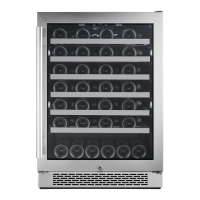

 To Next Page