14
Dispensing Water
Cold Water
Hot Water
Room Temperature Water
Once you have turned the cooling switch (#16) into the on (I) position it will take initially
1 hour for the water to cool. During this time the cooling indicator light (#3) above the
cold water icon will be steady. During this time the compressor could run continuously.
This is normal. The light will be turned o when the cooling process is complete.
Once you have turned the heating switch (#17) into the on (I) position it will take
initially 15 – 20 minutes for the water to heat up. During this time the heating
indicator light (#2) above the hot water icon will be steady. The light will be
turned o when the heating process is complete.
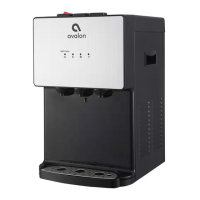
1. Position the bottle, glass, pitcher or cooking pot below the room temperature spout (#11).
2. Depress the room temperature water push button (#7) downward to begin the flow of
water.
3. Once the desired fill level is achieved release the push button (#7).
1. Position a bottle, glass, pitcher or cooking pot below the cold water spout (#12).
2. Depress the cold water push button (#8) downward to begin the flow of water.
3. Once the desired fill level is achieved release the cold water push button (#8).
1. Position a bottle, glass, pitcher or cooking pot below the hot water spout (#10).
2. Slide the red child safety lock (#6) to the left and depress the hot water push button
(#5) downward to begin the flow of water. You must hold the child safety lock (#6)
and push the button at the same time.
3. Once the desired fill level is achieved release the hot water push button (#5).
User Guide and Maintenance


 To Next Page