Home
Avalon
Water Dispenser
A4BLWTRCLR
Page 24
Avalon A4BLWTRCLR - Page 24
33 pages
Manual
Save Page as PDF
To Next Page
To Next Page
To Previous Page
To Previous Page
Loading...
20
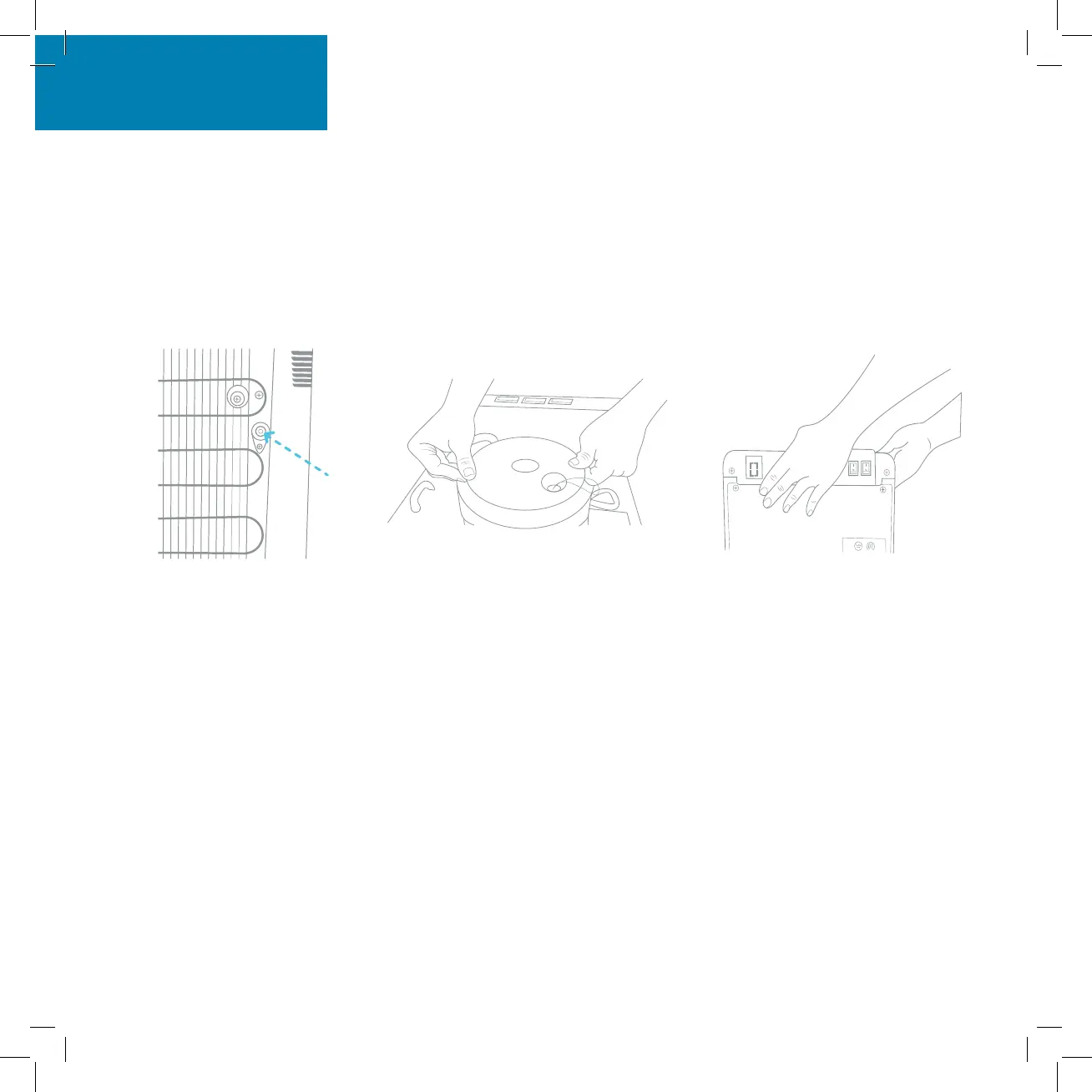
Rinsing, Cleaning, and Dr
aining
5. Once
water
is completely
drained, reposition the dr
ain cover
, cold tank co
ver
and the t
op cover
. Ensur
e that
the pipes and wir
es are connect
ed properly
and
you may
use the dispenser
as normal.
Cleaning
23
25
Table of Contents
Main Page
Table of Contents
4
About Your Water Cooler
5
Meet Your Avalon Product
5
Part Names
6
Indicator Lights
8
Tech Specs
9
Getting Started
10
Unpacking Your Avalon Water Cooler
11
Installing the Water Bottle
12
Install/Remove Drip Tray
14
Powering the Dispenser
15
Activate Heating and Cooling
16
User Guide and Maintenance
17
Dispensing Water
18
Changing the Bottle
19
Cleaning
21
Rinsing, Cleaning, and Draining
22
Cleaning
25
Troubleshooting
27
Safety
30
Related product manuals
Avalon A9
48 pages
Avalon A3F
134 pages
Avalon A1TL
93 pages
Avalon A14-S
120 pages
Avalon A10-TL
9 pages
Avalon A13CT-S
52 pages
Avalon A12-CTPOU
43 pages
Avalon A7BOTTLELESS
13 pages
Avalon A5BOTTLELESS
12 pages
Avalon A6BLWTRCLRWHT
11 pages
Avalon A8CTBOTTLELESSWHT
12 pages


 To Next Page