This product is equipped with an AC power
inlet and must be connected to a three-wire
grounded plug.
The AC power cable must be plugged into an
appropriate outlet that is correctly installed
and grounded in accordance with all local elec-
trical safety codes and ordinances.
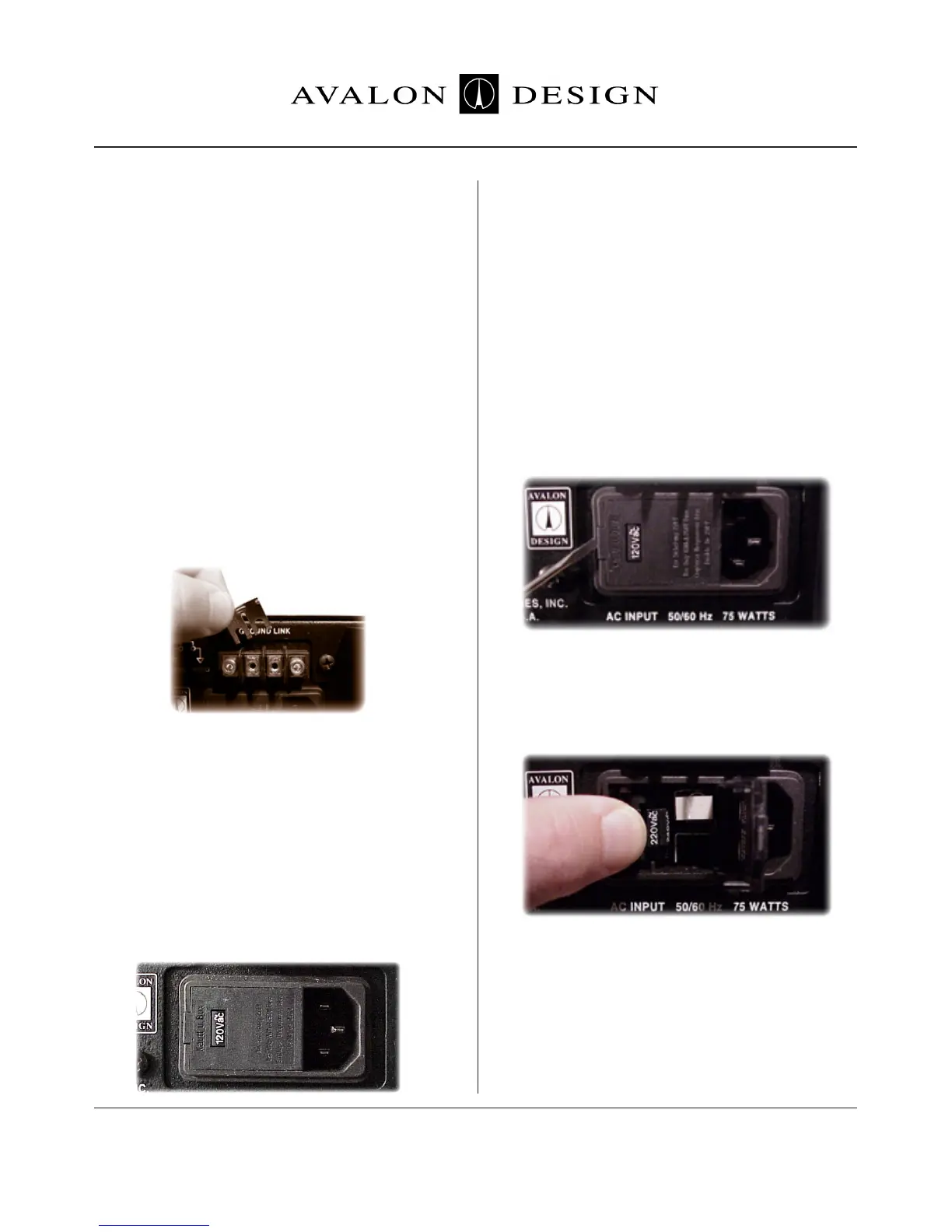
If hum or ground-buzz is induced into the
system, remove the rear-mounted
GROUND-LINK. This is ground-link isolates
the AC chassis ground from the audio ground.
When the LINK is removed, the AC ground
remains connected to the chassis via the AC
inlet connector and provides a direct path for
any electrical fault or dangerous condition.
Warning! No ground adaptor should ever be
used with this unit.
3.3 AC Voltage Selection
Before connecting the Vt-737sp to the AC
supply, check the OPERATING VOLTAGE
located on the rear of the chassis in the AC
inlet connector.
Voltages available are 100-120-220-240VAC
+/-0.5% 50-60Hz at 75 watts (USA used
120V).
To change the AC voltage for your location:
1. Make sure there is no AC power cable con-
nected to the AC inlet.
2. Insert a small flat-head screwdriver tip into
the voltage selector cavity. Carefully lift-open
the hinged cover from left to right.
3. Rotate the selector wheel to show the
correct voltage for your location, then push the
wheel firmly into the mounting tabs.
4. Press the voltage selector cover snap-shut,
check correct AC voltage in window.
5. Connect the grounded AC power cable.
Safety and
Grounding
Page 13Avalon Vt-737sp Operation Manual


 To Next Page