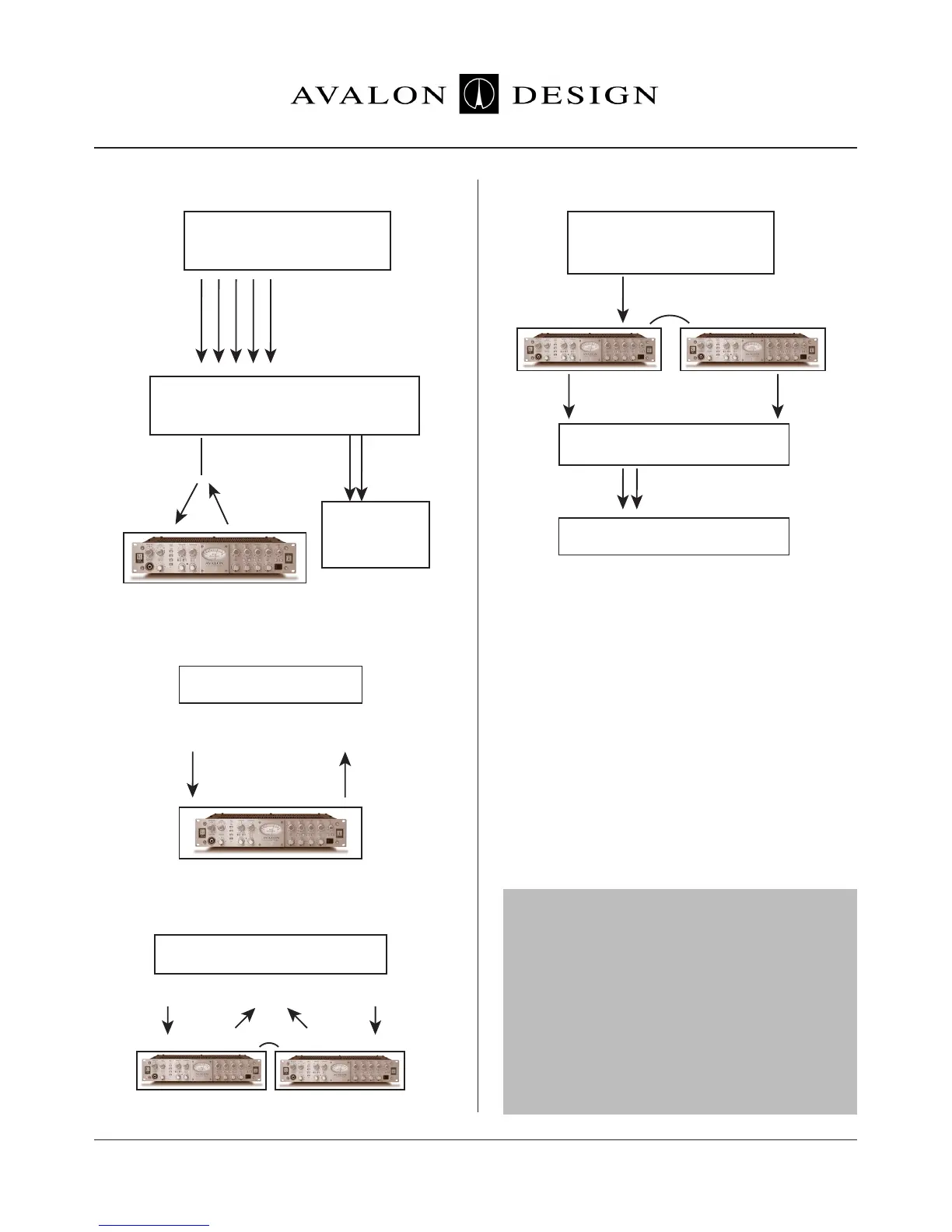
Multiple Outputs
Left Output
Line Input
Left Input
Outputs
Inputs
Right Input
Output Output
Line Input
Right Output
Main Outputs
Multiple Line Inputs
Insert
One Channel
(Y-connector)
One channel or
Submix Outputs
Stereo Mix
Left Output
Line Input Line InputOutput Output
Link
Inputs - Record
Two New Tracks
Stereo Mix
Right Output
Input - Record
New Track
DAW
or
CD Burner
DAW
DAW
Applications
Page 24 Avalon Vt-737sp Operation Manual
Figure 5.1.2 - Mixdown Tape Based
Figure 5.1.3 - Mixdown on DAW
Figure 5.1.4 - Mixdown / Mastering on DAW
Analog or Digital
Tape Machine
Stereo Mix
on DAT, CD, or
Tape Machine
Mixing Console
Inputs
Output
Line Input
Output
Line
Input
Vt-737sp
two Vt-737sp’s linked
Figure 5.1.5 - Mastering Tape Based
5.2 Application Settings
The following are a few example settings for
the Vt-737sp to be used as starting points for
specific applications. You will most likely need
to adjust the settings given here for your
recordings because of the many variables
which depend on a recorded sound. Variables
such as choice of microphone, microphone
placement, recording room, recording media,
mixing console, the musician, etc. can greatly
alter and change the sound of your recording.
TRUST YOUR EARS!
Note: The output control is used to control the
signal level to the next piece of equipment in
the audio chain. The output control is
designed to be virtually invisible. This means
that you use the output level to set the signal
level to set the signal level coming out of the
Vt-737sp and you will not color the signal by
turning this control up or down. Therefore, the
output level is not included in the example
settings.
Link
two Vt-737sp’s linked
Final Media - DAT or CD
Monitoring System


 To Next Page