
 Need help?
Do you have a question about the Avalue Technology ECM-A50M B1 and is the answer not in the manual?
Provides essential safety guidelines for handling hardware and preventing damage.
Lists detailed technical specifications of the ECM-A50M module, including CPU, memory, and I/O.
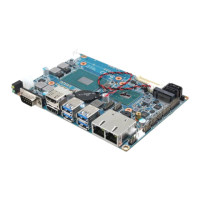
Provides a visual overview and labeling of the product's connectors and key components.
Step-by-step instructions for installing and setting up the system hardware.
Provides a guide to navigating the BIOS setup menus using keyboard controls.
Covers the main BIOS setup menu options for hardware configuration and system clock.
Allows recording basic hardware configurations and setting the system clock.
Enables configuration of CPU and system devices for basic operation.
Configures PCI bus driver version, ROM handling, and latency timers.
Allows configuration of PCI Express device registers, ASPM, and link settings.
Configures ACPI settings, including auto-configuration, hibernation, and sleep states.
Provides detailed CPU specifications and configuration options like PSTATE and NX mode.
Configures USB device support, EHCI hand-off, and transfer timeouts.
Displays operating temperature, fan speeds, and system voltages.
Sets up Super IO configuration for FDD, parallel, and serial ports.
Configures the serial port 0, including enabling/disabling and I/O settings.
Configures the serial port 1, including mode selection and I/O settings.
Allows advanced configuration of chipset features like North and South bridges.
Configures North Bridge parameters, including GFX and Memory configurations.
Configures Graphics Engine (GFX) settings like primary video device and ASPM.
Sets integrated graphics, bank interleaving, IOMMU mode, and memory clock.
Configures LVDS output modes, panel selection, and backlight PWM duty.
Configures South Bridge features like SATA, USB, and HD Azalia.
Configures SATA channel, type, IDE mode, and ESP settings.
 General
| Brand | Avalue Technology |
|---|---|
| Model | ECM-A50M B1 |
| Category | Motherboard |
| Language | English |











 To Next Page