
 Need help?
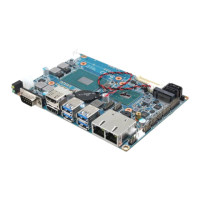
Do you have a question about the Avalue Technology EMX-H110DC and is the answer not in the manual?
Essential safety guidelines for handling the motherboard and components during installation and operation.
Guides users on configuring jumpers and connecting various hardware components for system setup.
Details advanced system configurations for CPU, chipset, and other hardware components.
Focuses on configuring chipset-related features and system agent settings.
Guides the installation of essential chipset drivers for motherboard functionality.
Instructions for installing the graphics driver for optimal display output.
Details the installation process for the Intel Management Engine (ME) driver.
 General
| Form Factor | Mini-ITX |
|---|---|
| Chipset | Intel H110 |
| Socket | LGA 1151 |
| Memory Slots | 2 x DDR4 DIMM |
| Max Memory | 32 GB |
| Expansion Slots | 1 x PCIe 3.0 x16 |
| LAN | 1 x Gigabit Ethernet |
| Display Output | 1 x HDMI |
| SATA 6Gb/s | 4 |
| M.2 | 1 x M.2 |
| USB Ports | 4 x USB 3.0, 6 x USB 2.0 |












 To Next Page