EasyManua.ls Logo

Avalue Technology EMX-H110DC - Install RST Driver

Default Icon
69 pages
Print Icon
To Next Page IconTo Next Page
To Previous Page IconTo Previous Page
Loading...
User’s Manual
EMX-H110DC User’s Manual
65
4.6 Install RST Driver
Insert the Supporting DVD-ROM to
DVD-ROM drive, and it should show the
index page of Avalue’s products
automatically. If not, locate Index.htm and
choose the product from the menu left.
Note: The installation procedures and
screen shots in this section are
based on Windows 10 operation
system.

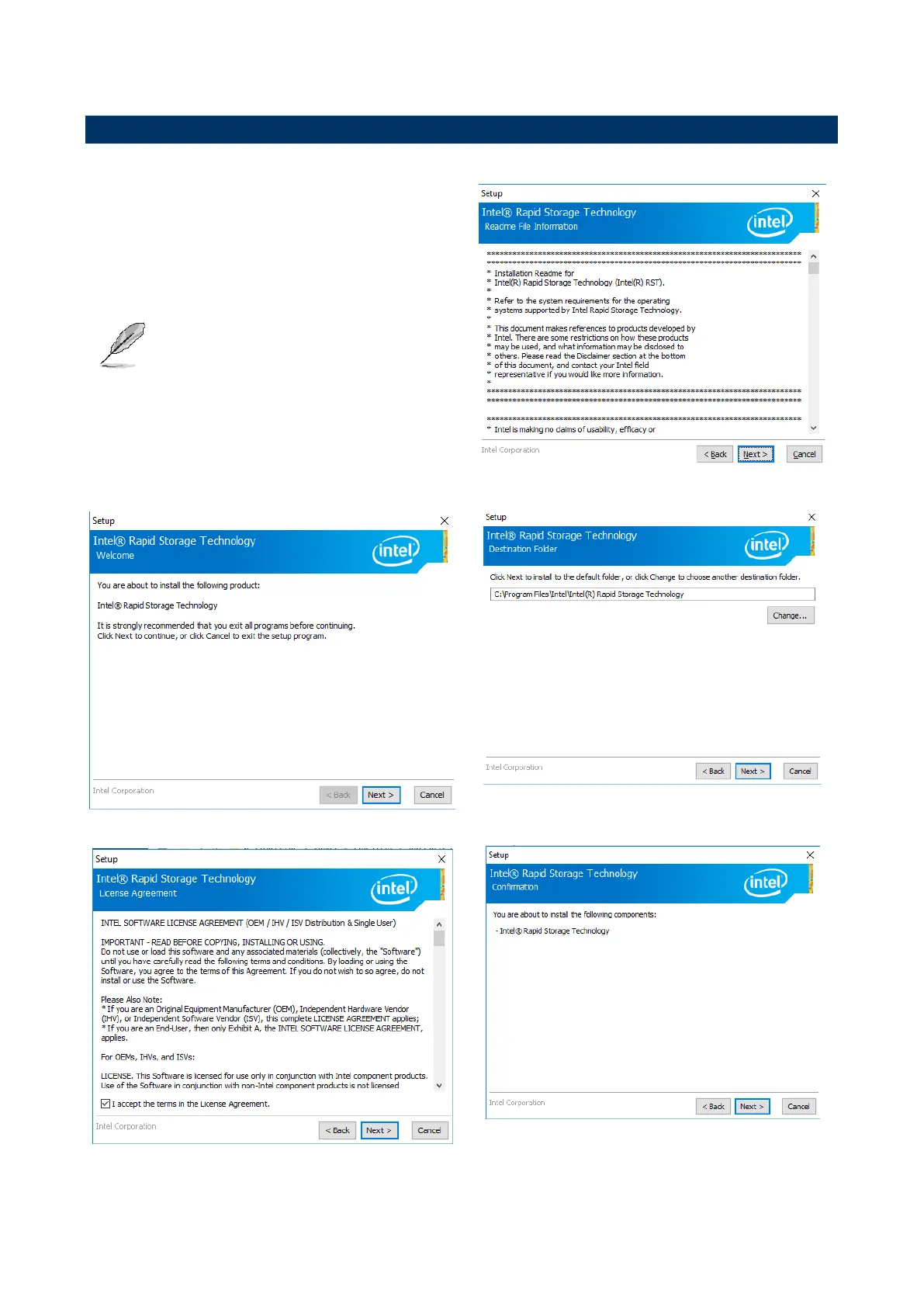
Step 3. Click Next.
Step 1. Click Next to continue installation.
Step 4. Click Next.
Step 2. Click Next.
Step 5. Click Next.

Table of Contents

Related product manuals