Monday, 2 December 2013 PH658N - User Manual v1.1 5/15
I. Programmable Memory Button and Emergency Call Number
PH658N has 2 programmable memory buttons:
1) The first one is the one-touch memory button on the faceplate.
To activate, lift the handset and simply press it once. The number will be dialed out
immediately.
2) The other corresponds to the preconfigured number for emergency call.
To activate, lift the handset and wait for a predetermined number of seconds. The number
will be dialed out automatically
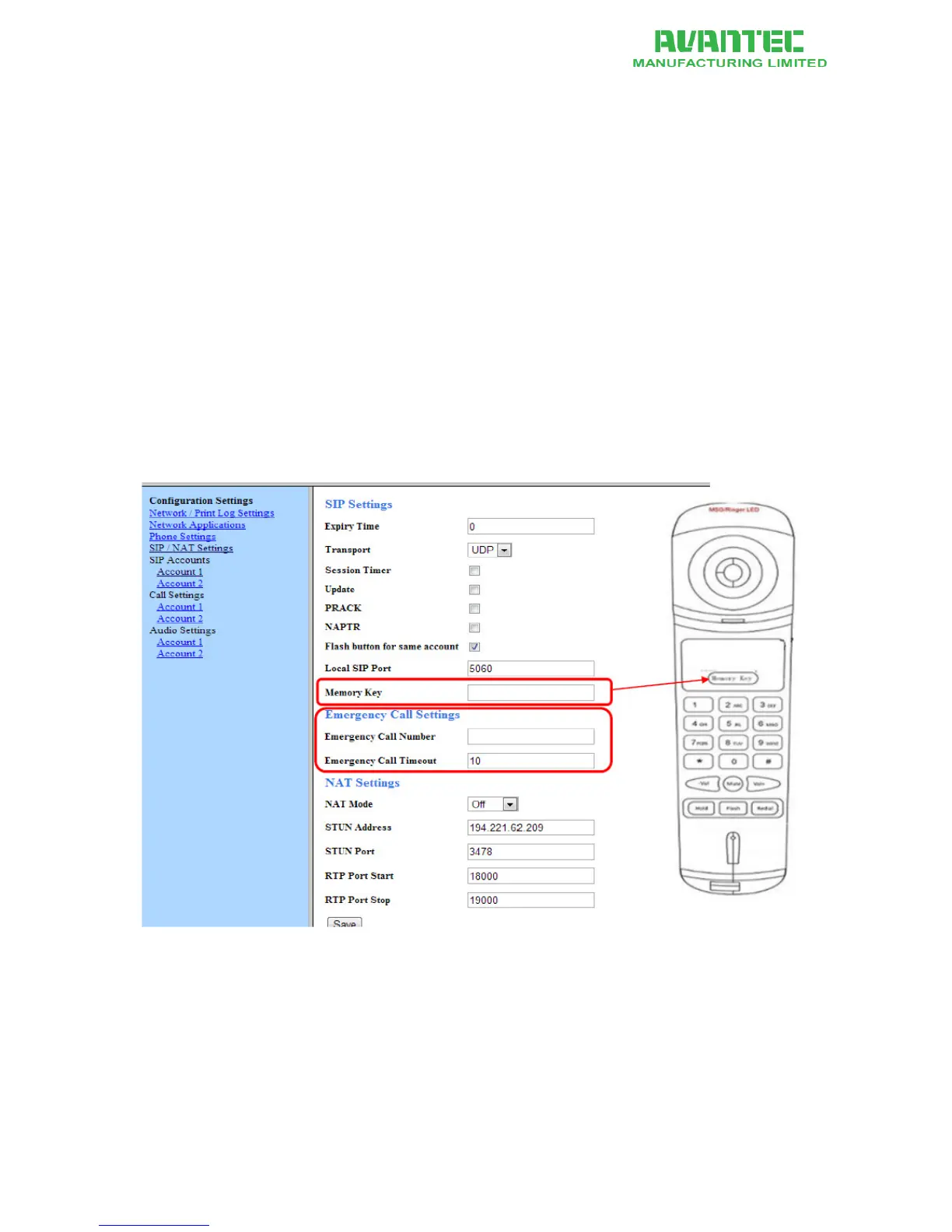
Storing a number for hotkey and emergency call
1. Access the Web Portal, go to the Configuration page
2. Fill in the entries for Memory key, Emergency Call Number and Emergency Call Timeout
(see below)
3. Remember to press save, at the bottom of the page, when you are done.
Figure 3 - Memory Key and Mailbox Key setting on Web Portal


 To Next Page