Monday, 2 December 2013 PH658N - User Manual v1.1 9/15
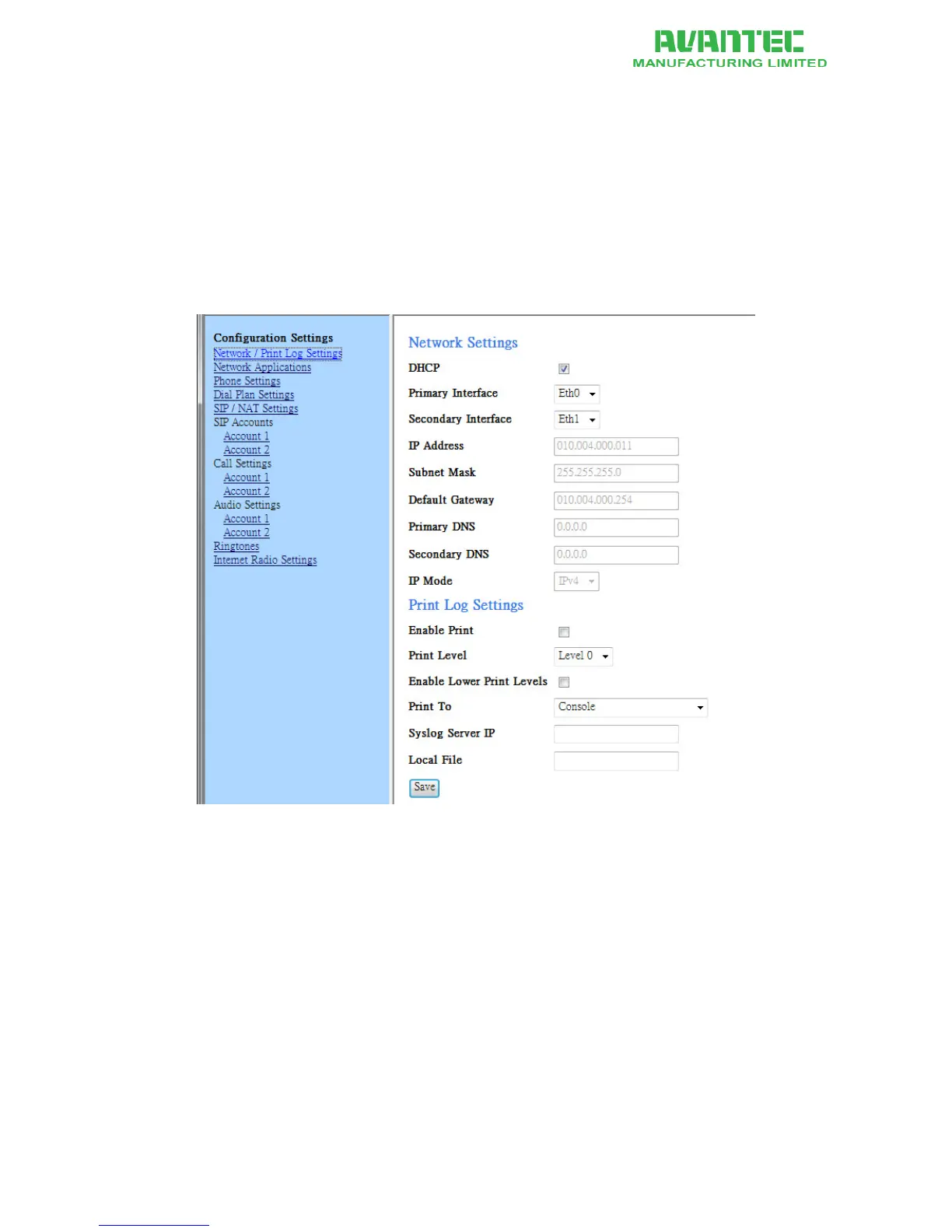
C. Network Settings
Administrators may choose to operate in either dynamic IP environment and static IP environment.
1. Go to Configuration page.
2. On the left panel, click on the "Network / Print Log Settings" link
3. After making changes, click save at the bottom of the page
4. A pop-up window appears, you may choose between "back" and "restart"
5. In order to have the changes take effect immediately, click "restart"
6. You can always perserve the changes and decide to restart the phone at a later time
Figure 6 - Network Settings page on Web Portal



 To Next Page