Issue 2 April 2005 5
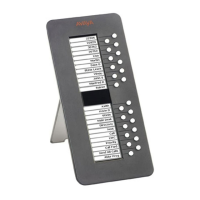
About The EU24/EU24BL Expansion Module . . . . . . . . . . . . . . . 7
Overview . . . . . . . . . . . . . . . . . . . . . . . . . . . . . . . . . . . . . . . . 7
Issue Date . . . . . . . . . . . . . . . . . . . . . . . . . . . . . . . . . . . . . . . 7
The EU24/EU24BL Expansion Module . . . . . . . . . . . . . . . . . . . . . . . . 8
Requirements . . . . . . . . . . . . . . . . . . . . . . . . . . . . . . . . . . . . . 9
Using the EU24/EU24BL Expansion Module. . . . . . . . . . . . . . . . . . . . . 9
Adjusting the Viewing Angle . . . . . . . . . . . . . . . . . . . . . . . . . . . 9
To Adjust the Expansion Module Upward . . . . . . . . . . . . . . . . . . 9
To Adjust the Expansion Module Downward . . . . . . . . . . . . . . . . 9
Viewing the Alternate Display. . . . . . . . . . . . . . . . . . . . . . . . . . . 10
Selecting a Call Appearance/Feature Button . . . . . . . . . . . . . . . . . . 10
Changing the EU24/EU24BL Contrast . . . . . . . . . . . . . . . . . . . . . . 10
Changing the Display Contrast Using a 2420 Digital Telephone . . . . . . 10
Changing the Display Contrast Using a 4620/4620SW, 4621SW,
or 4622SW IP Telephone . . . . . . . . . . . . . . . . . . . . . . . . . . . 11
Understanding Call Appearance/Feature Button Status Icons . . . . . . . . . . . 12
Contents



 To Next Page