11
Button Label Description
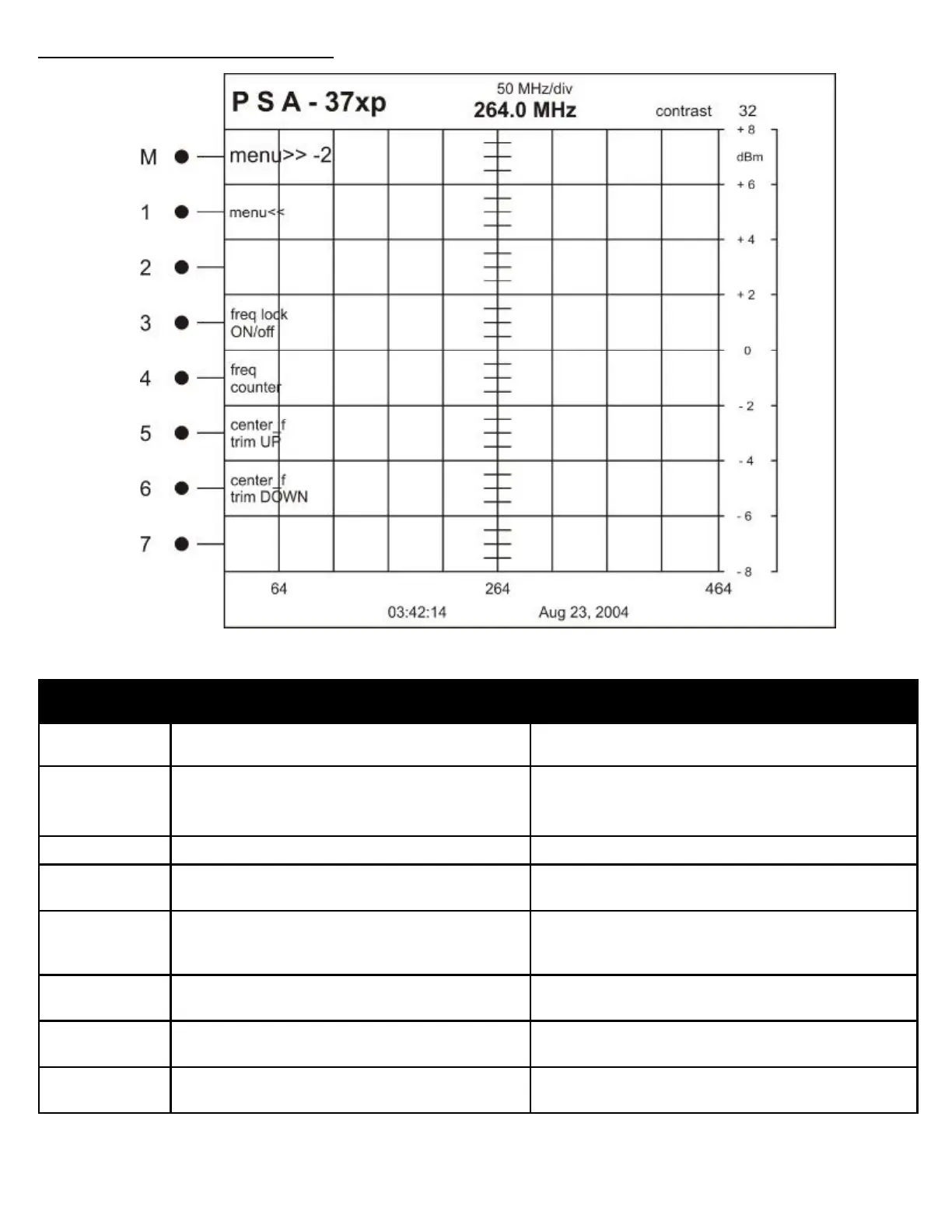
M MENU>> -2 Changes to the next higher menu in the structure
1 MENU<< Changes to the next lower menu in the structure
2 Not Used
3 Freq lock
ON/off
Turns the Frequency lock is on or off
4 freq counter Toggles Frequency Counter Display On or Off
This affects the Frequency Counter display on the top
and bottom of the analyzer screen
5 center_f
trim_UP
User calibration of the center frequency
6 center_f
trim_DOWN
User calibration of the center frequency
7 mode Used only in conjunction with an AVCOM MFC
See Frequency Extender Operation Section
MENU STRUCTURE REFERENCE
STARUP MENU: 2



 To Next Page