10
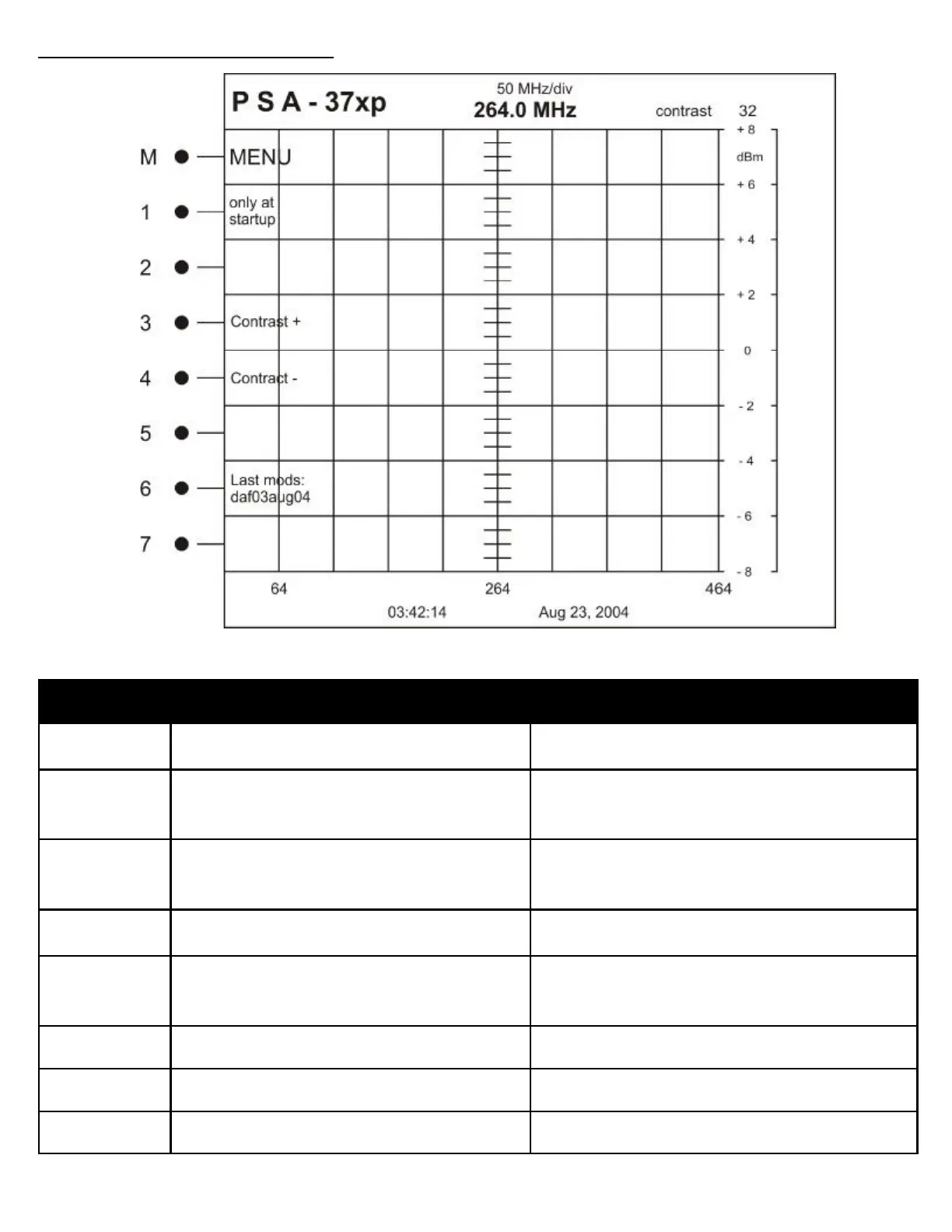
Button Label Description
M MENU Takes you to the standard menu structure of the ana-
lyzer
1 only at startup Enters into a menu structure that is only available at
the first boot of the spectrum analyzer.
2 Not Used
3 Contrast + Increases the value of screen contrast. Adjust for user
preference.
4 Contrast — decreases the value of screen contrast. Adjust for
user preference.
5 Not Used
6 Display of last software modifications date View only
7 Not Used
MENU STRUCTURE REFERENCE
INITIAL MENU: This menu is only seen on the initial boot of the spectrum analyzer



 To Next Page