14
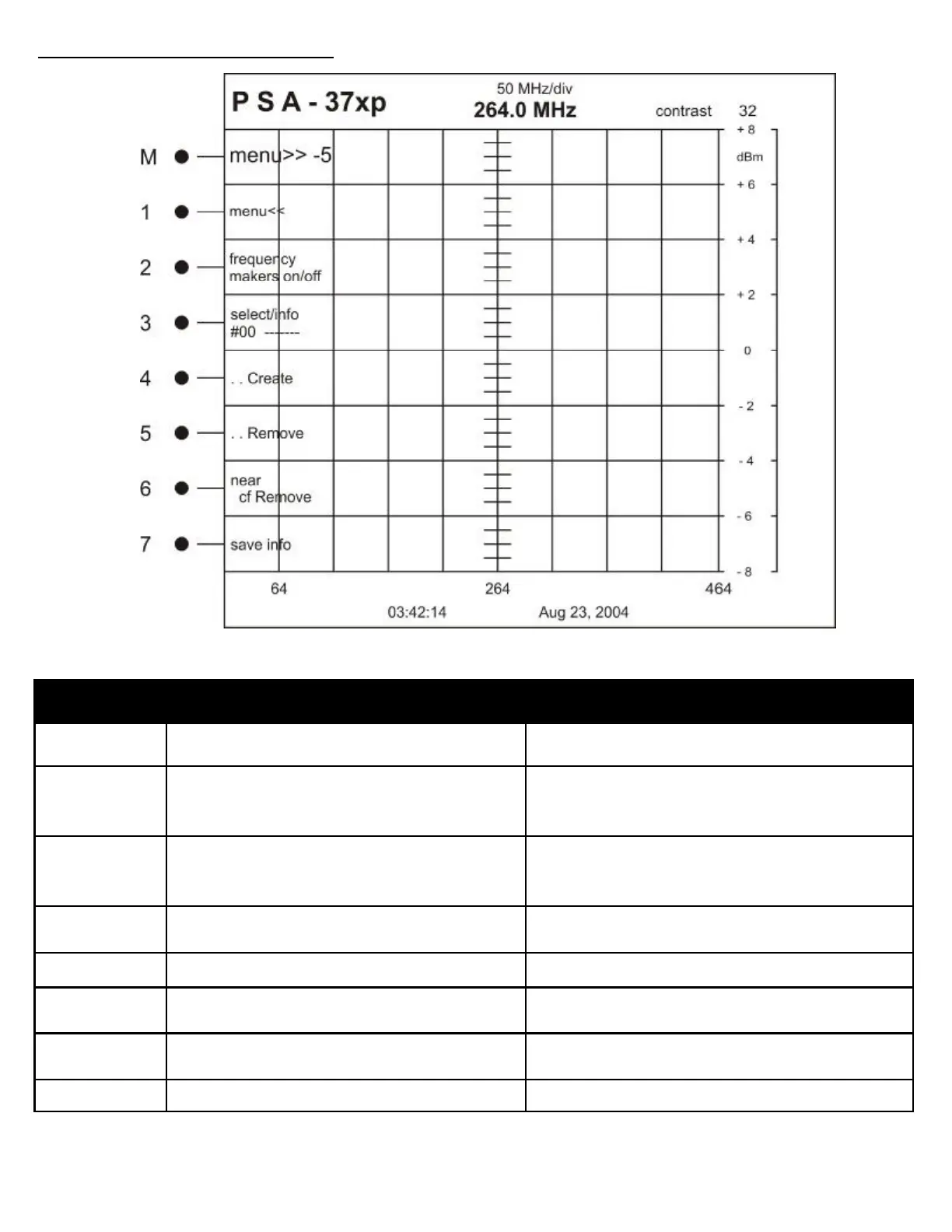
Button Label Description
M MENU>> -5 Changes to the next higher menu in the structure
1 MENU<< Changes to the next lower menu in the structure
2 frequency
markers on/OFF
Displays a vertical marker created at the current cen-
ter frequency setting.
3 select/info User selectable markers from 0—15 for a total of 16
markers
4 . . Create Creates a marker in the selected marker location
5 . . Remove Removes the marker from the selected marker loca-
tion
6 near
cf remove
Removes all markers in within the first division on ei-
ther side of the center frequency line
7 Save info Saves the frequency marker information
MENU STRUCTURE REFERENCE
STARUP MENU: 5



 To Next Page