27
OPERATION
INTERNAL FREQUENCY EXTENDER INSTRUCTIONS
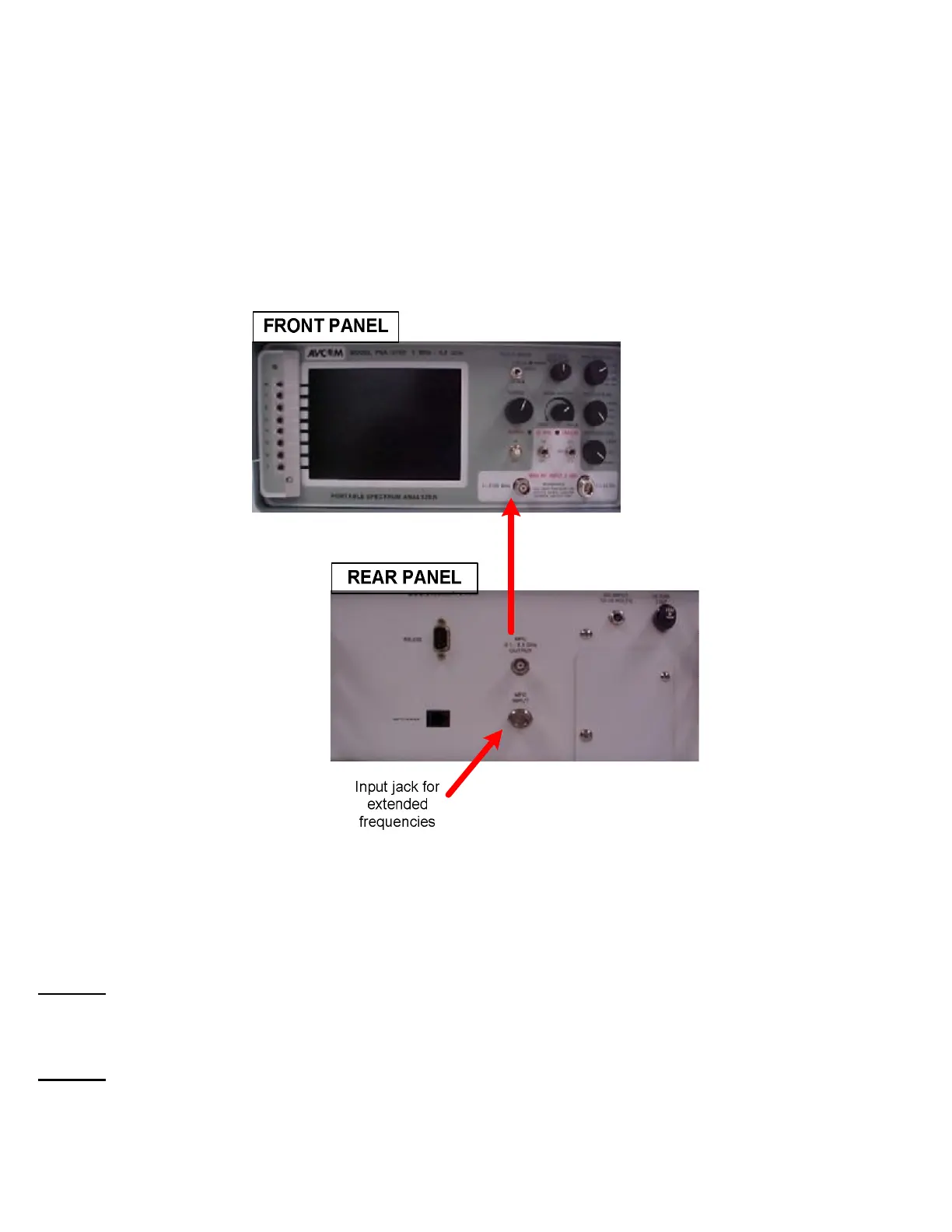
1. Attach input from extended frequency source to the “MFC INPUT” jack on the rear panel.
2. Attach cable from “MFC 0.1 - 2.1 GHz OUTPUT” jack on the rear panel to the “1 – 2200 MHz” input
jack on the front panel (see photo below).
3. To use the Frequency Extender
A. Select Menu -6 on the front panel.
B. Select Option 3 to turn extender functionality on.
C. Select Option 7 to turn extender functionality off.
NOTE 1: In the event that the MFC offsets are altered from their original factory settings, use Options 4
and 5 on Menu -6 to reset the offset to a value equal to 100MHz less than the lower MFC input
frequency.
NOTE 2: If the spectrum analyzer is powered off while the frequency extender is on, it will reset to
standard mode when powered back on and the steps above will need to be repeat



 To Next Page