Original Operating Manual 1-2013
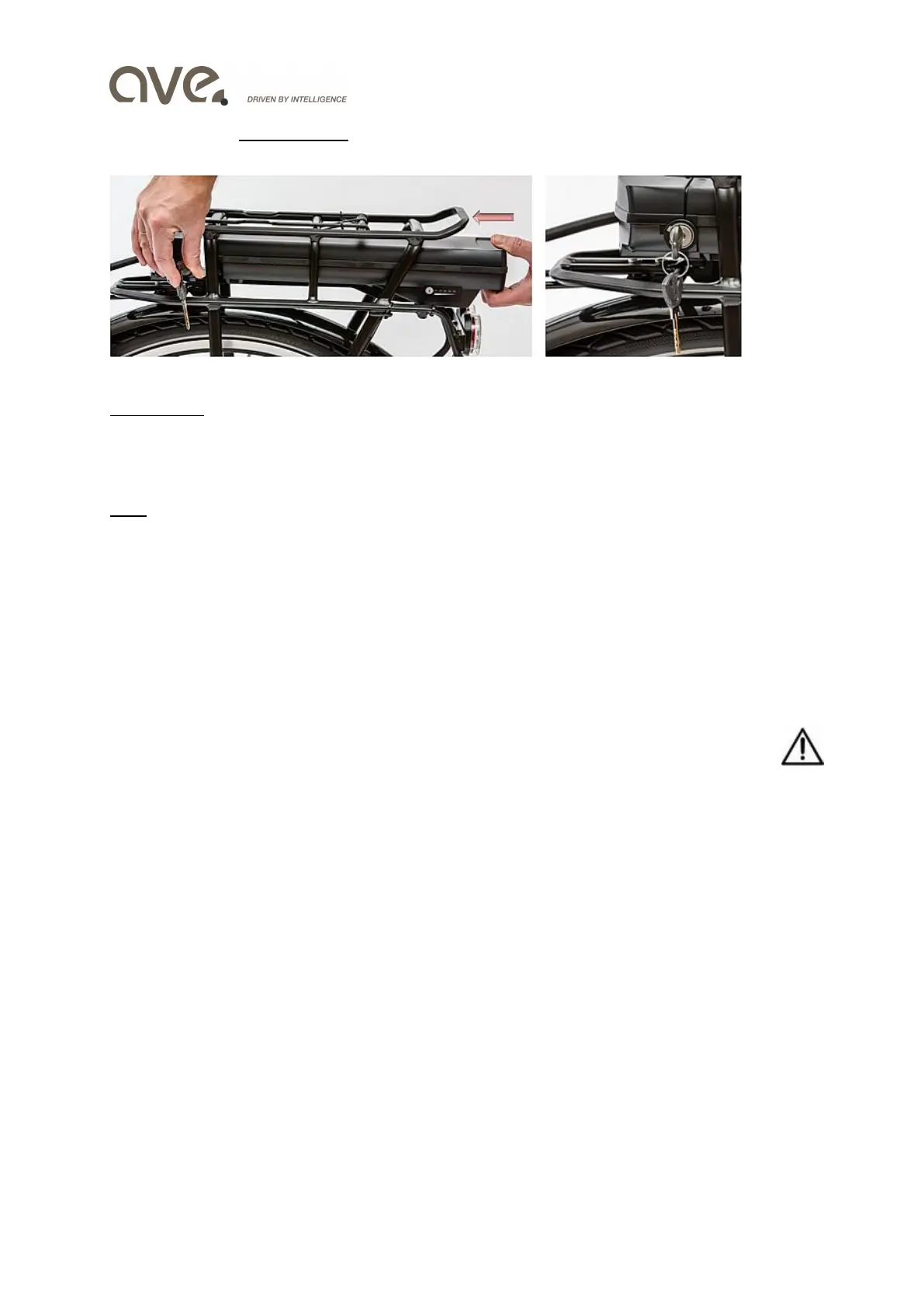
For inserting the carrier battery case, slide it on the carrier bar with the contacts first, until it
clicks into the holder (see below). Check, that the battery is firmly seated.
carrier battery battery lock/key
IMPORTANT: The lock secures the battery in the holder and protects it against misuse by third
parties. If you make a trip and go parking please remove the key from the lock. In any case keep
the second (spare) key separately. If you lose one key, you can make a duplicate or order a new
one by notifying its number (ABUS).
Note: At factory the battery is charged 40% - 60% of capacity! Normally this is enough to test
the eBike after assembly. But for a longer trip, the battery should be fully charged first, one or
two times best.
Operating computer check
Your operating computer Intuvia is fixed on the handlebar holder with a sliding lock. Check,
whether the Intuvia is securely locked (important because of the contacts at the bottom). Then
press the power button and convince yourself that display & controls work well.
Final check
After successful assembly of the bike, check of the components and functional proof of the
electrical system, you should finally double check
1. Are all bolts tight?
2. Do tires have the right pressure?
3. Are all brakes fully functional?
Yes, than go for a ride!
Commissioning and operating
Prerequisites
The e-Drive of your Hybrid bikes can only be activated if the following conditions are met
A sufficiently charged battery is in place
The operating computer is attached to the holder and has contact
The speed sensor is connected and works


 To Next Page