24
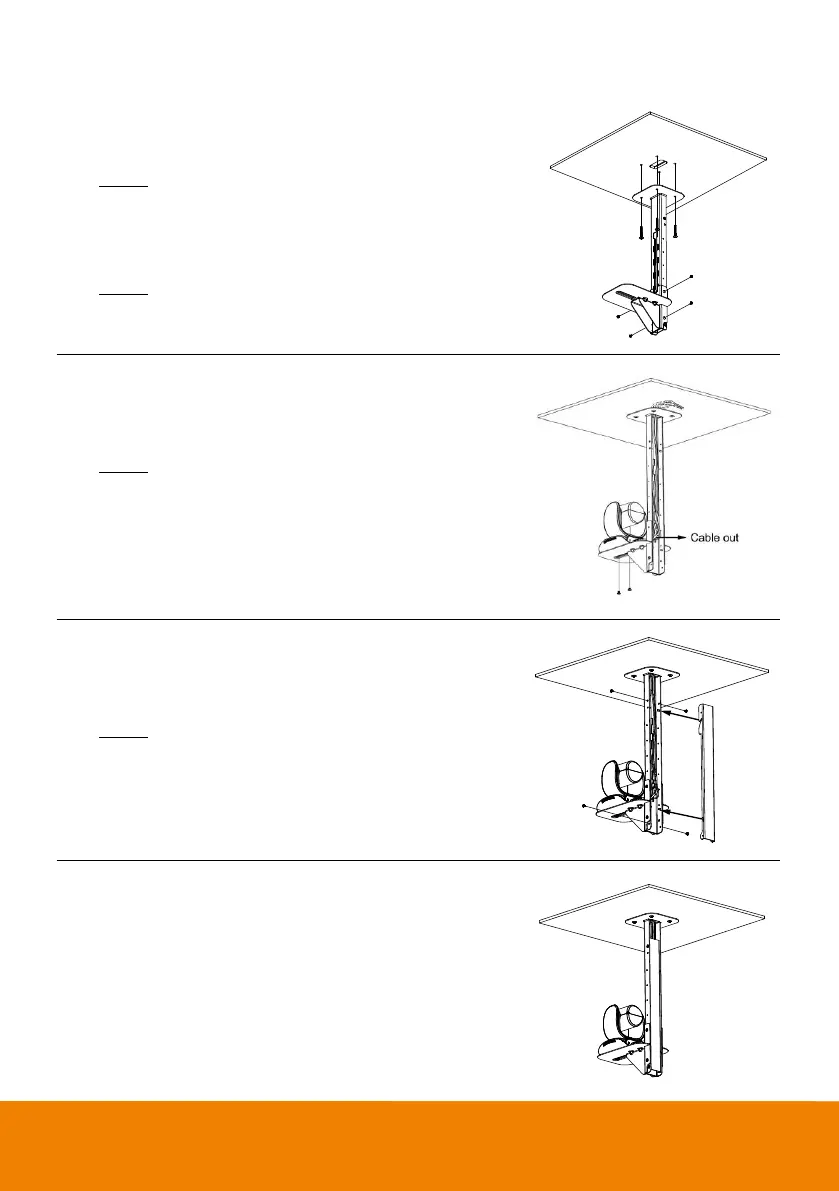
To mount the camera to the ceiling:
1. Drill the hole on the ceiling. Use screw to secure the mount
bracket on the ceiling.
Screw: 4 M6 x 50mm (Not included in package)
2. Use the supplied screws with washers to secure the
camera bracket to the mount bracket.
Screw: 4 M8 x 4 + 4 Washer
3. Connect all cables on the camera and pass all cables out
through the hole on the mount bracket. Then, secure the
camera on the camera bracket.
Screw: 2 UNC-1/4"-20 (Not included in package)
4. Organize all cables to go out from top or bottom of mount
bracket.
5. Then, secure the back cover with screws and washer.
Screw: 4 M8 x 4 + 4 Washer



 To Next Page