8
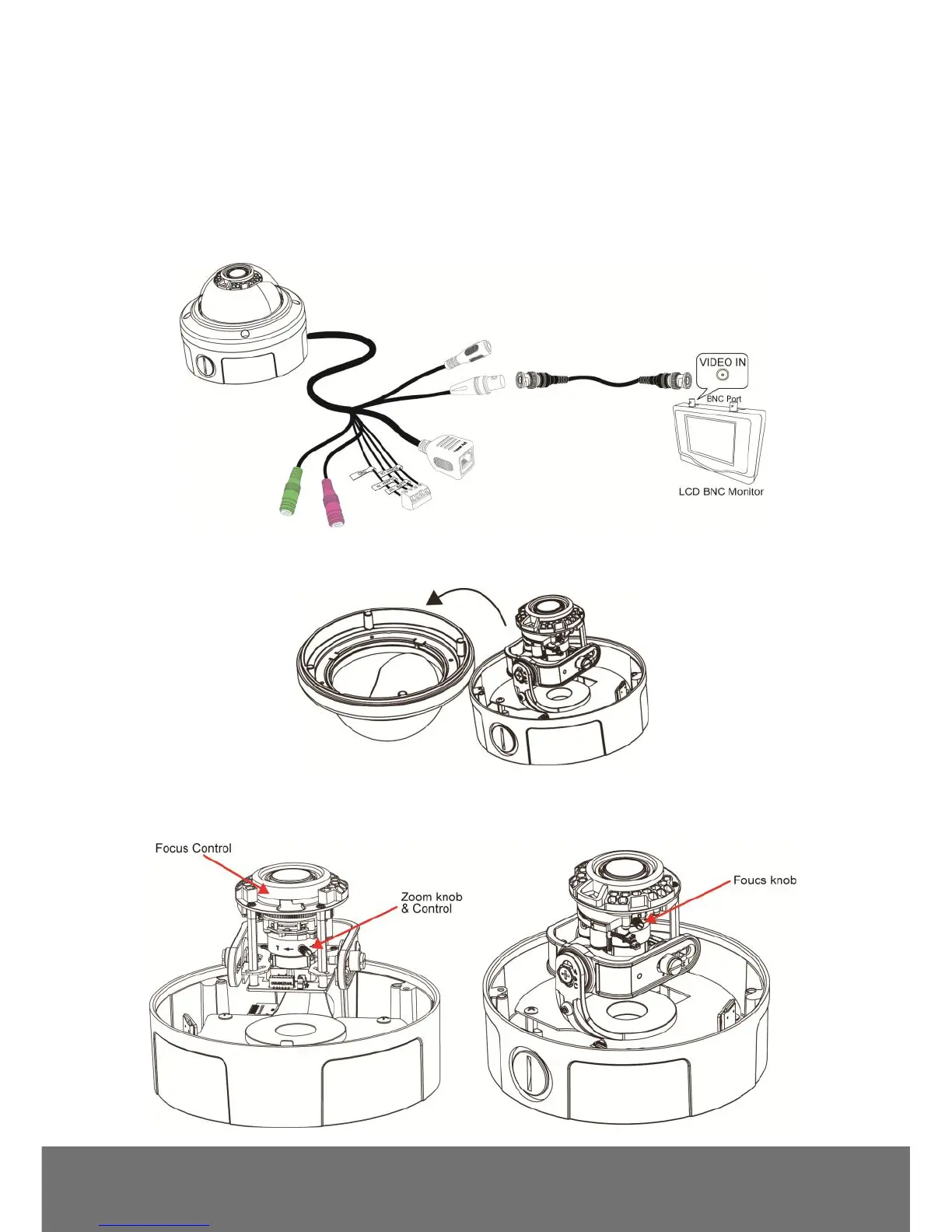
Focusing the IP Camera with BNC Monitor
The IP camera is supported with BNC analog video out jack which allows you to connect an analog
display devices such as an LCD BNC monitor for you to adjust the camera focus and zoom.
1. Connect the LCD BNC monitor to the BNC jack.
2. Open up the IP camera case.
3. Slightly loosen the focus and zoom control knobs and adjust the focus and zoom range. Slightly
tighten the focus and zoom knobs once you are done the adjustment.



 To Next Page