Hold either temperature button or light level button for 2~3 sec to switch on/off fill light function.
Hold both temperature button and light level button together for 2~3 sec to switch between
auto/manual light adjustment.
For more details, please refer to user manual.
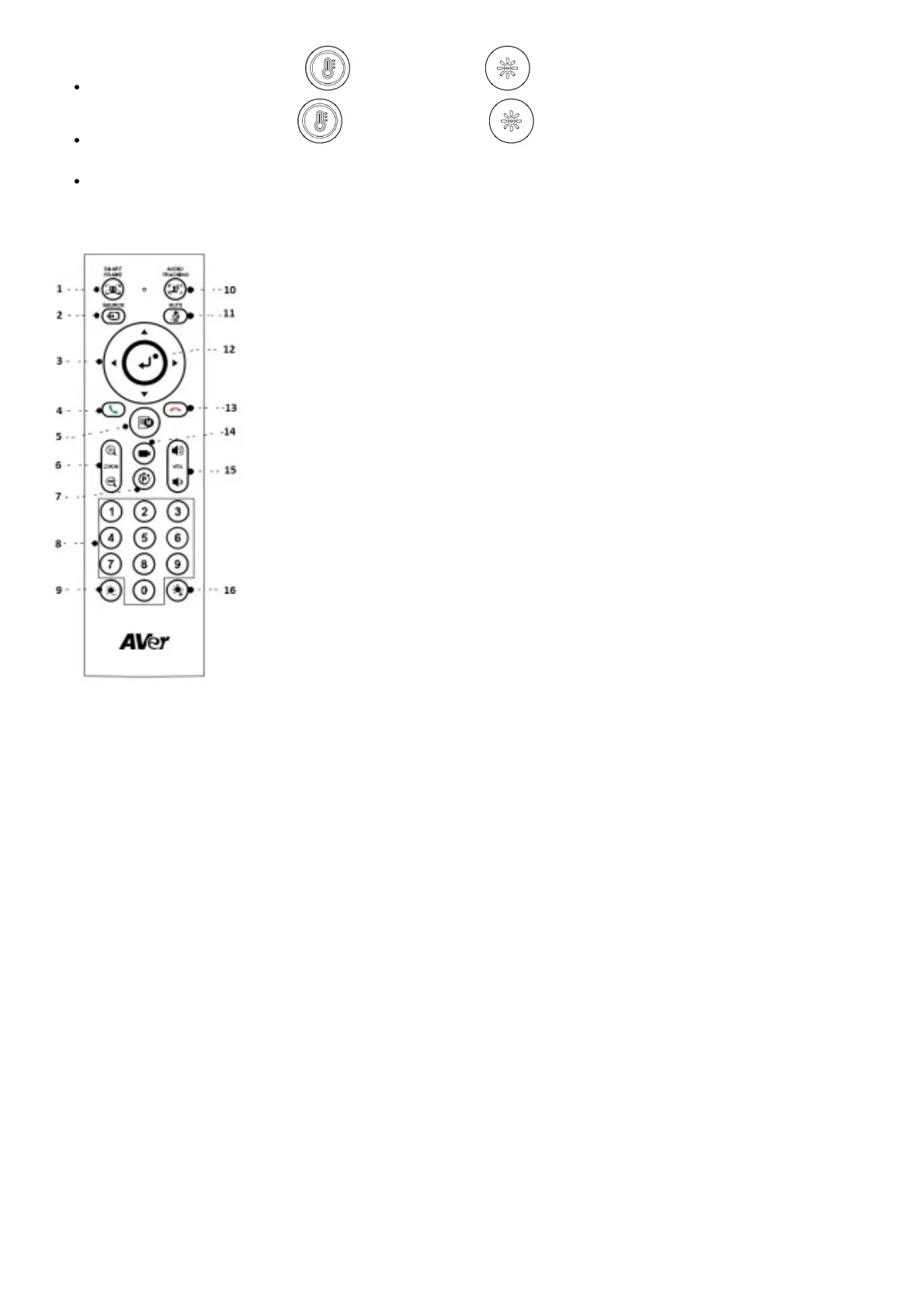
Remote Control
[Note] AAA batteries required
*Not supported for VB130
1. SmartFrame
2. Bluetooth
3. Camera Directional Control
4. Call/Answer
5. OSD Menu*
6. Zoom In/Out
7. Compound Key
8. Preset Position/Number Buttons
9. Brightness –
10. Audio AI Control
11. Mute
12. Enter



 To Next Page