32AER10-15
Installation
Connection to Composite Input
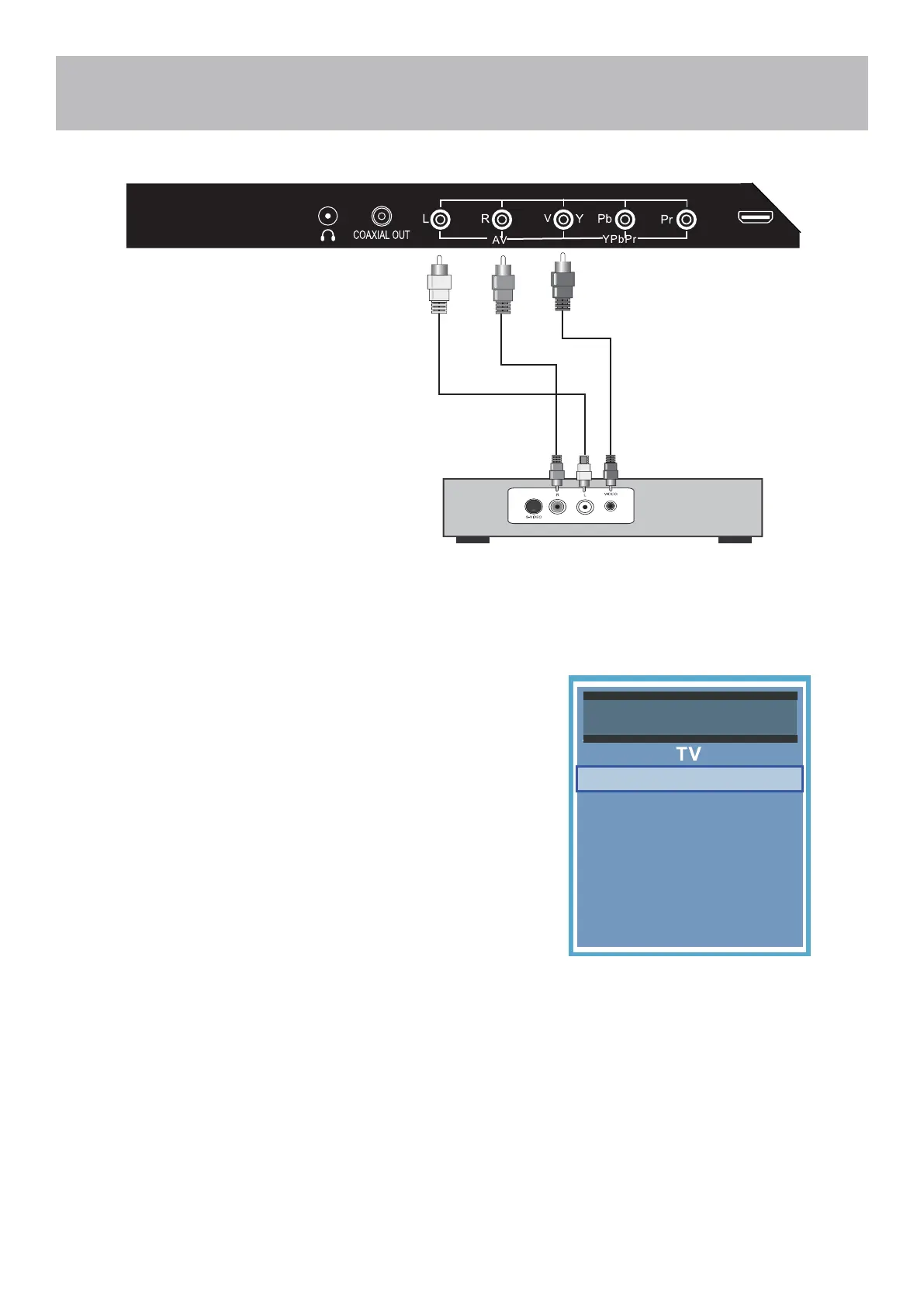
Connecting a device with a Composite connection.
How to Connect
• Match and insert the yellow, red, and white A / V cables into the
device and TV.
How to Use
• Press the INPUT button on the remote. Then use the arrow
buttons to highlight AV. Press ENTER.
Audio Video Cable (included)
Digital set top box, gaming console or DVD
NOTE: The yellow A/V cable plugs into the green input labeled Y/V on the back of the TV
HDMI 1
Media
Source Select
PC
HDMI 1
HDMI 2
HDMI 3
Component / AV


 To Next Page