32AER10-16
Installation
Connection to Antenna &
Cable / Satellite Box
We recommend using a high quality roof top antenna, digital cable, or satellite box for the best display and
performance.
Note: Reception quality is determined by your location, geographical terrain, distance from the local
broadcast transmitter, and strength of antenna.
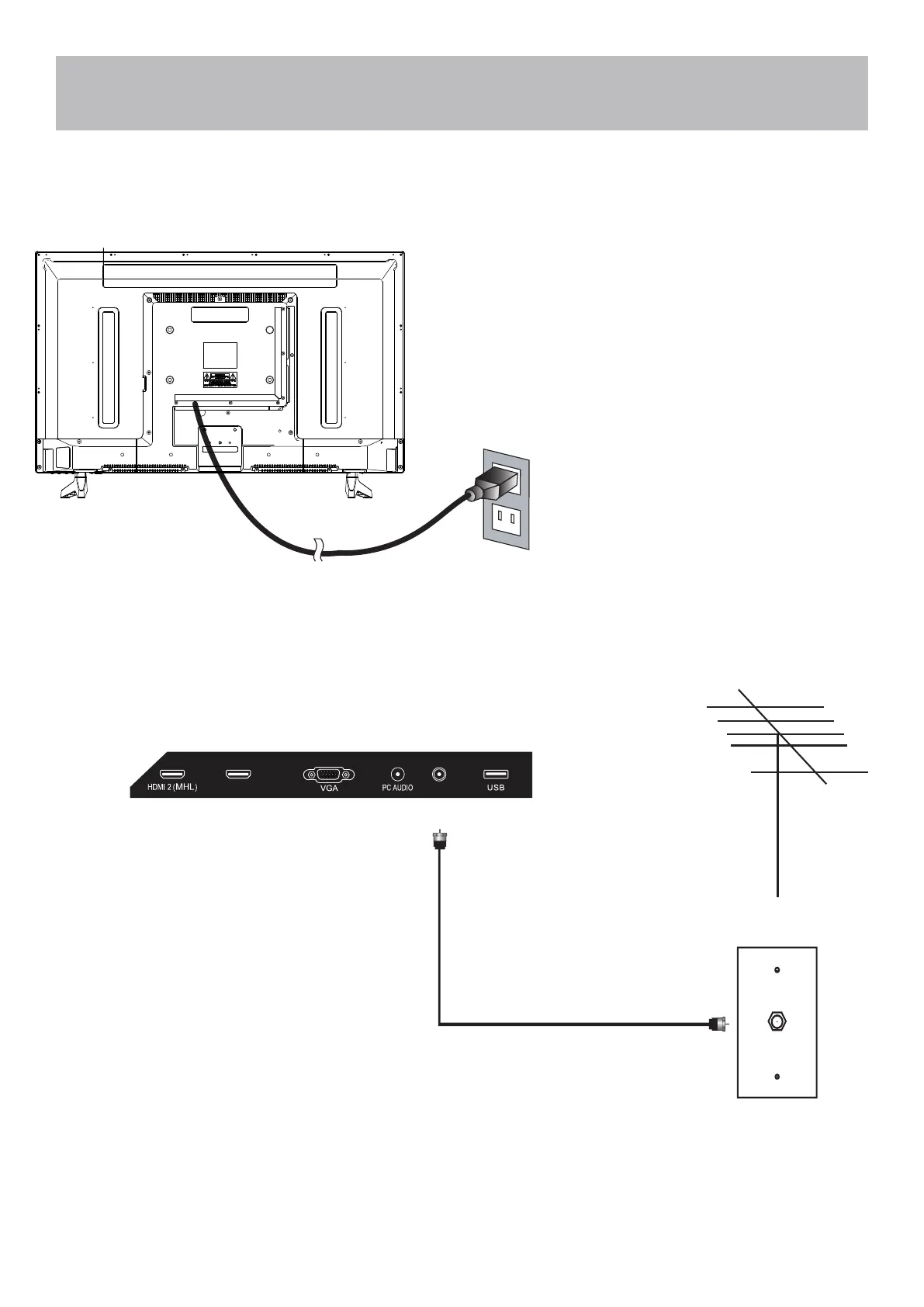
Connecting an antenna or basic cable
service:
• Connect the RF coaxial (75 ohm) cable from
existing roof top / indoor antenna, or wall outlet.
• Finger tighten the Coaxial / RF Cable end to the
TV input on the panel.
Coaxial / RF Cable (not included)
Ant./Cable
Wall Outlet
Roof Antenna / Cable Outlet Installation
• Connect the power cord to a properly grounded AC outlet.
HDMI 3 (ARC)
CABLE / ANTENNA


 To Next Page