Error messages
If a persistent error message appears, disconnect then
reconnect the scale to the power supply. If the scale remains
inoperative, contact your authorised service agent.
E 5 Disconnect then reconnect the scale to the power supply.
E 10 Battery failure.
E 11 Power supply voltage is too high.
E 15 Contact your authorised service agent.
E 20 Weight error.
E 30 Invalid product configuration.
E35
E 100 Invalid PLU contents (try re-programming the PLU).
E 101 Transaction failed.
E 102 PLU write failed.
E 103 Tare failed.
E 151 Product configuration memory failed.
Error codes:
Contact your authorised service agent.
E 152 User does not have access to this item (in management mode).
E30
Temporary
error
Weight
unsteady
Balance
failed
Under
range
Over
range
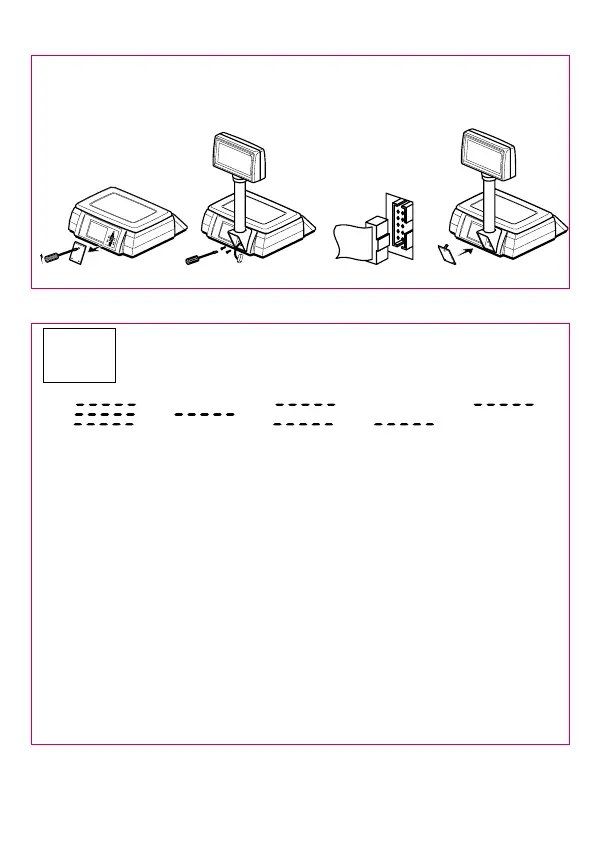
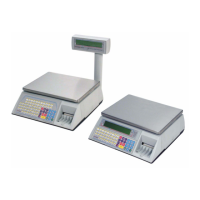
Installing the head-up display option
Using a flat-bladed screwdriver, remove the blanking plate from the
back of the scale.
Carefully insert the plug from the display into the socket at the
back of the scale. Replace the blanking plate.
Do not lift the scale by the head-up display or the weighplate.
Attach the display to the scale using the two slotted
screws.
Caution:







 To Next Page