
 Need help?
Do you have a question about the Avery Berkel XS 400 and is the answer not in the manual?
Essential safety precautions for installation, use, and maintenance of the scale.
Guidelines for safe electrical installation, power connection, and operational handling.
Procedures for cleaning the scale exterior and recommendations for user comfort.
Emphasizes training needs and mentions EMC compliance.
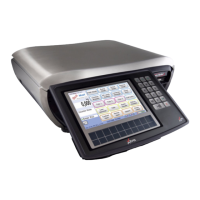
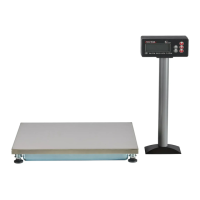
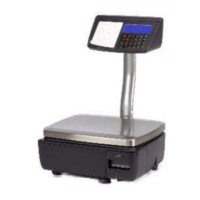
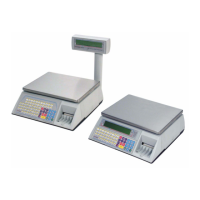
Descriptions of the XS 100, XS 200, XS 300, and XS 400 scale models.
Information on setting up the scale for different operational modes.
Procedures for handling, levelling, and connecting the scale.
Details on the keyboards and explanations of key functions.
Resets an out-of-balance scale.
Descriptions for Tare, Fix, Cancel, Print, Enter, Price Override, Void, Price Base, and Navigation keys.
Procedure to shut down the machine and enter or exit Standby mode.
Overview of security features that restrict access to unauthorized users.
Explains how security levels are assigned to operators and functions.
Instructions for logging into and out of the machine for operational access.
Information regarding scheduled service intervals and notifications.
Details about the printer, its rolls, and how to change them.
Procedures for advancing rolls, printing labels, receipts, and label streaming.
Daily maintenance tasks, including cleaning the print head.
Daily cleaning procedure for the print head to ensure optimal performance.
Using PLUs, searching by description, and utilizing department keys.
Operations in Label Mode, PoS, PoS-Disabled, and Checkout modes.
Applying promotions, overriding prices, and using barcode scanners.
Overriding weight, using fixed price keys, cancelling transactions, and tare operations.
Procedure for manually entering the weight of pre-packed goods.
Procedures for cancelling individual items or entire transactions.
How to subtract the weight of a container (tare) when weighing goods.
How to enter the known weight of a container manually.
Functions for printing and managing various types of receipts.
Printing sales, counter, subtotal receipts and managing subtotals.
Adding, re-opening, and reprinting subtotal receipts.
How to print and use bag labels for items placed in outer bags.
Applying and printing tax rates and values on receipts.
Handling customer payments, discounts, foreign currency, and accounts.
Using ECR keys, split payments, and foreign currency for customer transactions.
Managing customer accounts for charging and receiving payments.
Applying discounts to receipts or individual transactions.
How the machine handles and prints prices in Euros.
Using the cash drawer for No Sale, Float, Paid Out, and Pick Up functions.
Procedure for processing customer refunds for returned goods.
How to process non-faulty returned goods to be returned to stock.
Enabling or disabling the printer to manage paper output.
Using an EFT terminal for card payments and refunds.
Explanation of keys used for pre-pack operations like Rewrap, Non Add, and Re-Pack.
Performing a single non-totalising transaction and printing a test label.
Overriding pre-programmed prices and changing product display dates.
Printing labels for products converted from other products, reusing traceability info.
How to configure the machine to operate in pre-pack mode.
Using PLUs and printing labels for weighed and non-weighed goods.
How to use tare functions in pre-pack mode, including different tare types.
Using stored, keyboard, proportional, and preprogrammed tares.
Creating consignments (pack runs) and printing labels for container contents.
How to void a transaction within a pack run.
How to operate the machine in stock mode for inventory management.
Performing sales functions, assigning, and paying for transactions in stock mode.
Calculating unit price based on total price and net weight for non-weighed products.
European, Danish, and Rewrap methods for back calculation.
 General
| Brand | Avery Berkel |
|---|---|
| Model | XS 400 |
| Category | Scales |
| Language | English |






 To Next Page