EasyManua.ls Logo

Avery Weigh-Tronix GSE 465 - User Manual

Avery Weigh-Tronix GSE 465
48 pages
Print Icon
To Next Page IconTo Next Page
Loading...
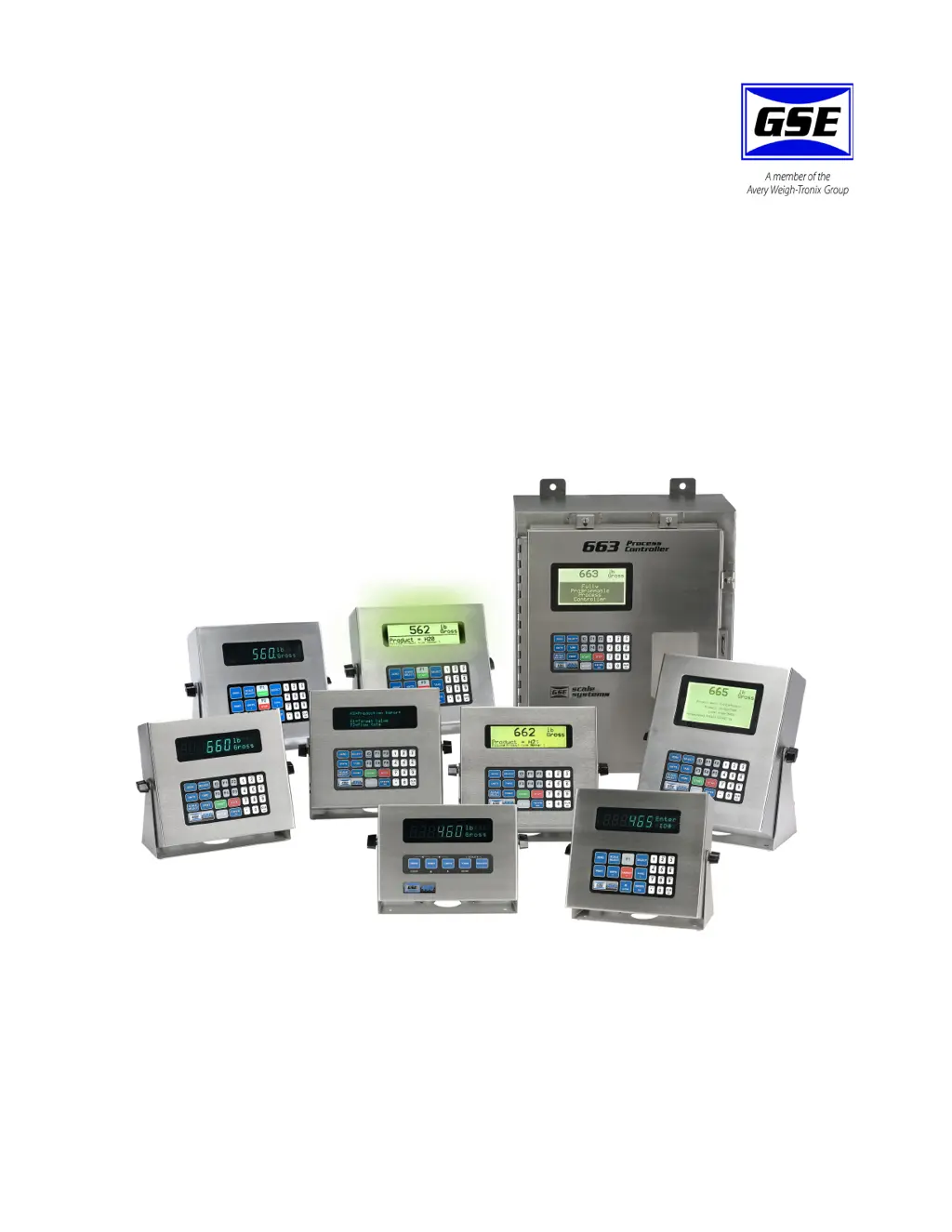
60 Series
Indicators and Process Controllers
User Instructions
NORTH AMERICA
39-10-37149 Issue AH February 2010

Table of Contents

Questions and Answers

  • N
    Nancy DavisAug 9, 2025
    How to fix 'UnderLoad!' error on Avery Weigh-Tronix Controller?
    • K
      Kelly GutierrezAug 9, 2025
      If your Avery Weigh-Tronix Controller displays 'UnderLoad!', check the load cell connections. If you are using a 4-wire load cell cable, ensure that the sense jumpers are properly installed.
  • J
    John LaraAug 16, 2025
    What to do if Avery Weigh-Tronix GSE 465 Controller shows 'WRONGCODE!'?
    • M
      Max GoodwinAug 16, 2025
      If your Avery Weigh-Tronix Controller displays 'WRONGCODE!', you need to enter the correct code to access the Setup Mode. Alternatively, you can press the [ENTER] key alone to view the selections without making any changes.
  • D
    Deborah RamosAug 21, 2025
    What does 'CHECK JUMPR' mean on my Avery Weigh-Tronix Controller?
    • J
      Jeremy TurnerAug 21, 2025
      The 'CHECK JUMPR' message on your Avery Weigh-Tronix Controller indicates that the installation of the jumper prohibits programming changes.
  • J
    James CooperAug 27, 2025
    What does 'Tare>F.S.!' mean on my Avery Weigh-Tronix GSE 465 Controller?
    • B
      Benjamin HernandezAug 27, 2025
      If your Avery Weigh-Tronix Controller displays 'Tare>F.S.!', it is most likely that the entered tare value was incorrect.
  • J
    james43Sep 3, 2025
    What should I do if the displayed weight on my Avery Weigh-Tronix Controller is incorrect?
    • N
      Nicholas ThompsonSep 3, 2025
      If the displayed weight on your Avery Weigh-Tronix Controller is incorrect, power it down for a few seconds. If the indicator still does not work properly after powering it up, check the load cell or platform wiring.

Summary

Chapter 1 General information

1.2 Installation

Covers basic installation guidelines for 60 Series instruments, including electrical and wet conditions.

1.13 Specifications

Details technical specifications for performance, electrical, load cell input, and communications of the instruments.

Chapter 2 Installation

2.2 Panel mounting

Explains panel mounting options for 60 Series models, suitable for wash-down environments.

Chapter 3 Operation

3.2 Parts Counting

Explains how to use the parts counting function, including sampling methods and negative sampling.

3.3 Accumulation Mode

Explains the accumulation mode and its three main memory registers for data accumulation.

3.4 Absolute and Percent Checkweighing

Covers check-weighing operations using absolute limits or percentage, and how to set/use them.

Chapter 4 Troubleshooting

Avery Weigh-Tronix GSE 465 Specifications

General IconGeneral
ModelGSE 465
Power Supply100-240 VAC, 50/60 Hz
Operating Temperature-10°C to 40°C (14°F to 104°F)
Communication PortsRS-232, RS-485, Ethernet
Weight CapacityVaries by configuration
EnclosureNEMA 4X
CapacityVaries by configuration
AccuracyVaries by configuration
DimensionsVaries by configuration
WeightVaries by configuration

Related product manuals