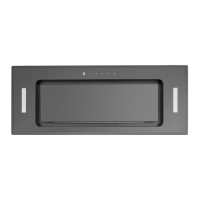
OPERATING THE HOOD
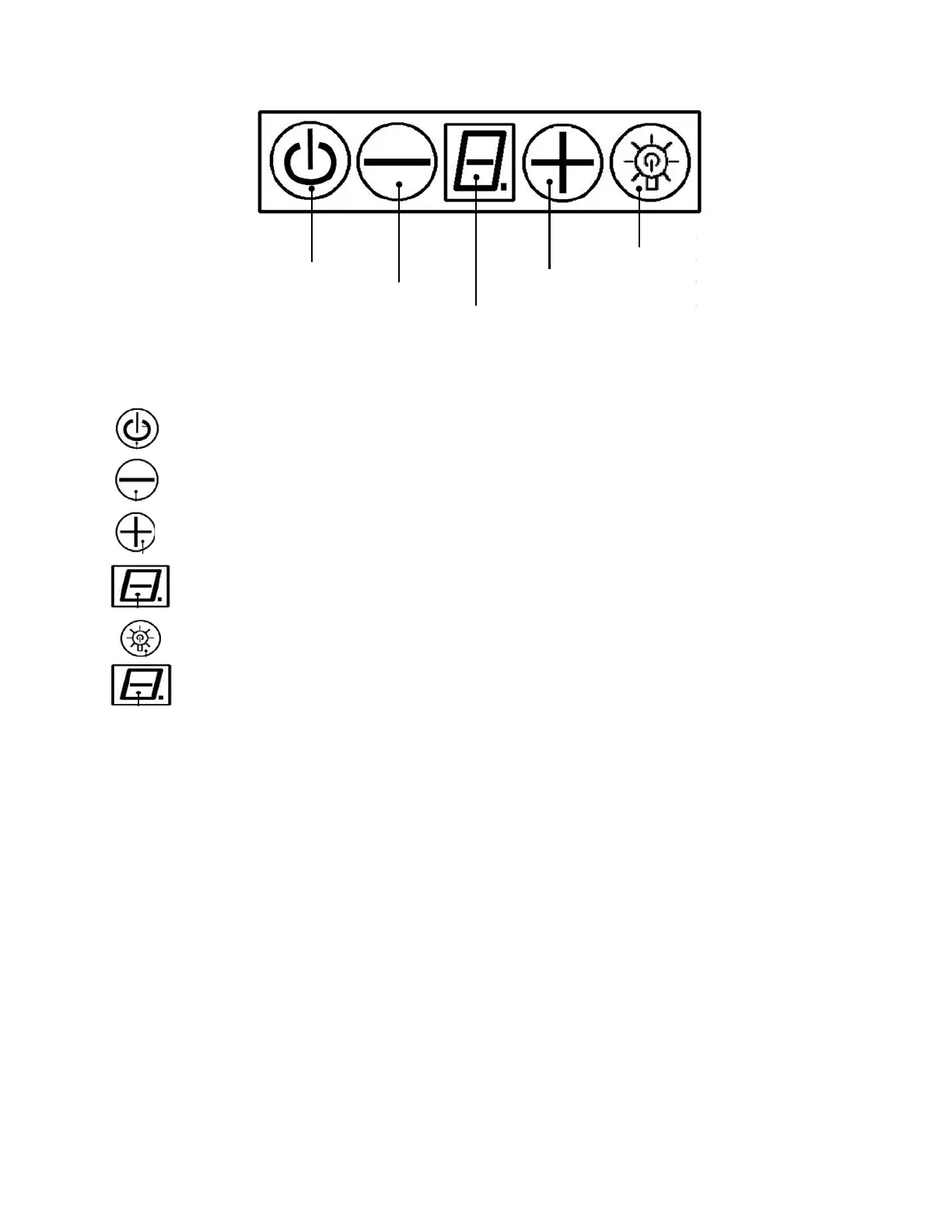
Light
Power/Power‐OffDelay Increase
Decrease
BlowerSpeedIndicator
Power‐OffDelayDigitalTimer
CleaningReminderIndicator
Buttonfunctions:
Power:PowerON/OFFtherangehoodandactivatepower‐offdelaytimer.
Decrease:TodecreaseBlower(motor)speed,todecreasetimerandtoentertimermode.
Increase:ToincreaseBlowerspeed,toincreasetimerandtoresetcumulativetimer.
BlowerSpeedIndicator:Showscurrent
blowerspeed(1‐3).
Light:ToturnON/OFFandtodimhalog enlig hts.
Power‐OffDelayDigitalTimer:Indicatesthelengthoftimeleftforthe‘delayoff’function.
Controls:
•
Automaticcleaningreminder:
Thisrangehoodisequipped withacleaningreminderthatwillactivateafter30hoursofuse.When
blower(motor)startstorotate,cumulativerunningtimewillbeshowninPower ‐OnElapsedDigital
Timer.Thistimericonflasheswhen30hoursofusageisupand
remindsusertocleanthealuminum
filters.
Aftercleaningthefiltersandwhenthemotorisnotinuse,pressandholdtheIncrease(+)button
overthree(3)secondstoresetthetimer.Pleasenotethat turningoffthesystemwillnotresetthe
Power‐OnElapsedDigitalTimer.
•
Adjustingtheblower(motor)speed:
PressPowerbuttononcetoturnonthesystem. TheBlowerPowerIndicatoriconflashes,showing
that the blowerisready.Decrease(‐) buttonwilldecreasethespeedof theblowerfrom 3to 1
(strongest to quietest).Increase (+) button will increase the speed
of the blower from 1 to 3
(quietesttostrongest).
PressPowerbuttononcetoturnoffthesystem
.
30


 To Next Page