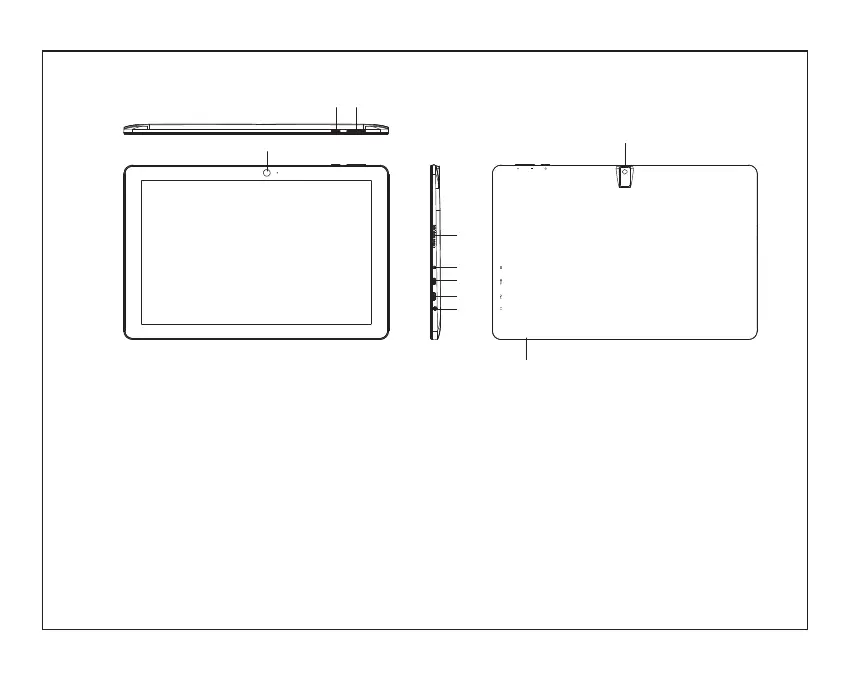
Unit at a Glance
2
1. POWER
2. Volume+/Volume-
3. FRONT CAMERA
4. SPEAKER
5. DC IN
6
7.
8. Headphone
Audio output connection for headphones.
9. REAR CAMERA
10. Card Slot
. HDMI
USB
Connect to a USB device.
1
9
10
2
3
5
6
7
8
4
the PC will be powered off.
Press to power on/off device, keep
pressing "POWER" button for 3 seconds,
PC will show up "Slide to shut down your
PC" if you keep pressing it for 3 more seconds,


 To Next Page