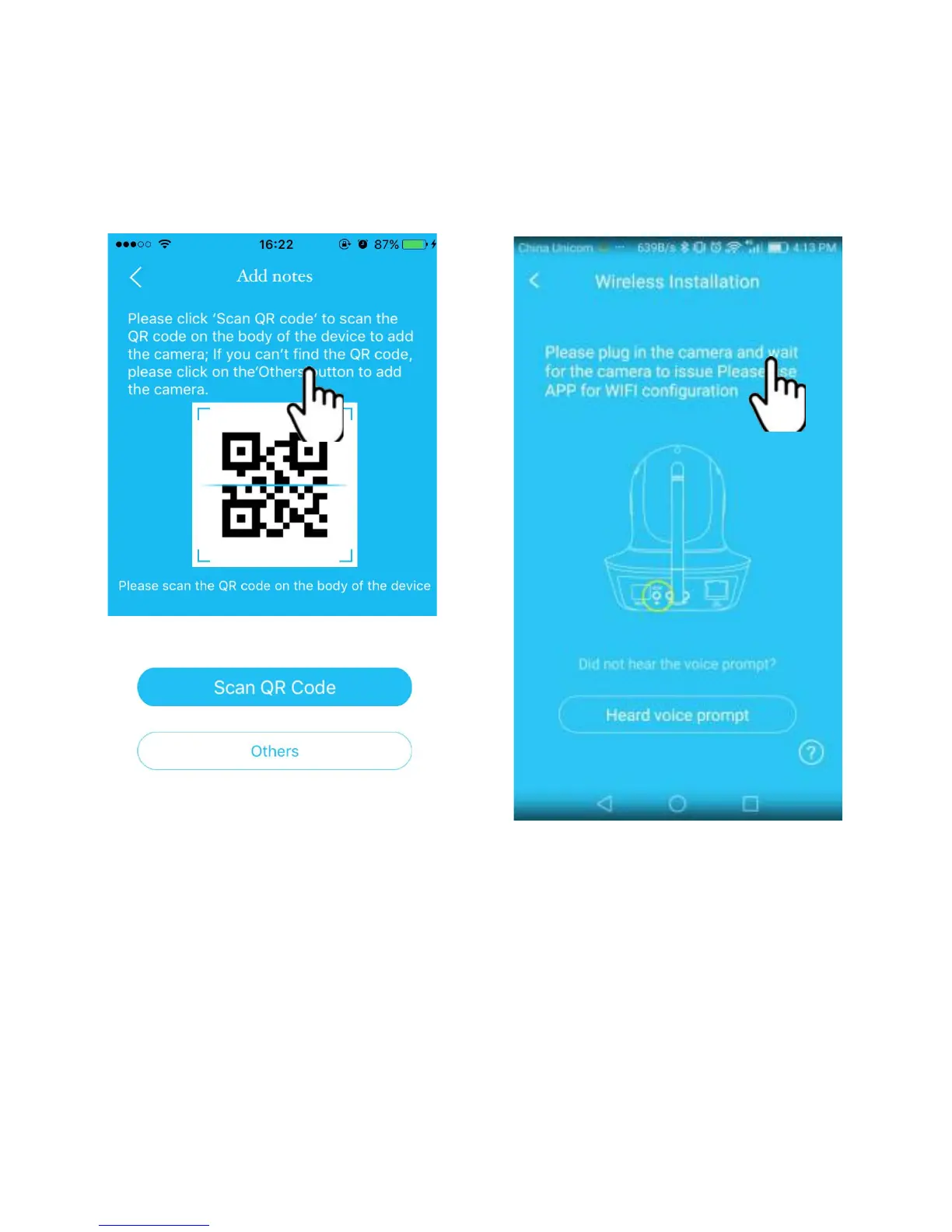
①
Enter the APP, click the "+" on the top right
corner, click on "Scan QR Code" to scan the QR Code
on the camera’s body ;
②
Once the camera says “Please use APP for WiFi
configuration” for the first time, please click on the
“Heard Voice” prompt button, then put in the password
of the WiFi network that the mobile phone currently is
connecting to, click “confirm” to go to next step.


 To Next Page