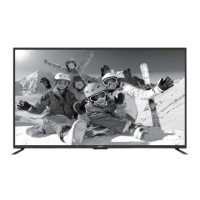
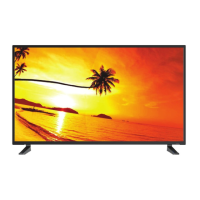
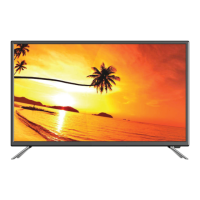
This document is an instruction manual for an AVGO 40" Widescreen LED TV, model number NP4P0.
Function Description:
The AVGO 40" Widescreen LED TV is a television designed for home entertainment, offering a range of features for viewing various media, connecting external devices, and customizing settings. It functions as a display for broadcast television (ATV/DTV), external video sources (AV, Component, HDMI, VGA, USB), and streaming applications. The TV includes a remote control for easy navigation and adjustment of settings. It supports parental control features to restrict undesirable programming and offers various picture and sound modes for an optimized viewing experience. The device also has media playback capabilities for photos, music, and videos from a USB drive.
Important Technical Specifications:
- Panel Size: 39 inches diagonally
- Display Type: LED
- Panel Technology: TFT
- Panel 60 Hz Vs. 120 Hz: 60 Hz
- Display Resolution: 1080p
- HDMI Support: up to 1080p
- Aspect Ratio: 16:9
- Dynamic Contrast Ratio-Panel: 3500~5000:1
- Response Time (G To G): 9.5 ms
- Lamp Life (Typ. Hours): 30,000 hours
- Horizontal Viewing Angle (At CR>10): 178 degrees
- Vertical Viewing Angle (At CR>10): 178 degrees
- Wall-mount (LxW-mm): 200*400 VESA(mm)
- Input/Output Ports:
- Headphone Output (AUDIO OUT)
- HDMI Input (HDMI x3)
- Antenna Input (RF 75Ω VHF/UHF)
- Optical Output (OPTICAL)
- USB Input (USB 5V 500mA)
- AV/Component Input (L, R, VIDEO/Y, Pb, Pr)
- VGA Input/PC Audio Input (VGA, PC AUDIO/AUDIO IN)
- Power: Operates on AC power, with a standby mode indicated by a white LED. A complete power-off requires disconnecting the power cord.
- Compliance: Meets ENERGY STAR® guidelines for energy efficiency and FCC Part 15 rules for digital devices.
Usage Features:
- Turning On/Off: The TV can be switched between On and Standby mode using the power button on the main unit or remote control.
- Initial Setup Wizard: Guides the user through language selection, data collection and firmware updates consent, time zone setting, power on mode (Home Mode for energy saving or Retail Mode), and scanning channels (Antenna or Cable).
- Source Selection: Users can select input sources (TV, AV, Component, HDMI1/2/3, VGA, USB) via the SOURCE button on the remote control or main unit.
- Channel Selection: Channels can be selected sequentially using CH∧/CH∨ buttons or directly by entering numbers (0-9) on the remote.
- Volume Adjustment: Volume is controlled by VOL+/- buttons. A MUTE button is available to silence the sound.
- Streaming: Access to various streaming applications like Netflix, YouTube, VUDU, Pandora, and AccuWeather. These can be accessed through the STREAMING menu or dedicated hotkeys on the remote control.
- Media Playback: The TV supports viewing photos, listening to music, and watching videos from a connected USB drive. Users can navigate through files and control playback.
- TV Settings:
- General: Includes menu language (English, French, Spanish), transparency on/off, zoom mode (Wide, Wide Zoom, Zoom, Standard, Just Scan, Dot by Dot), VGA settings (H-POS, V-POS, Clock, Phase, Auto), closed caption settings (CC mode, basic/advanced selection, options like font style/size/color), INLINK (LINLINK control, device power off/on, audio receiver, device list, root menu), accessibility (TTS voice guide, verbosity, rate, pitch, video description, VD volume), DLC on/off, restore default, software update (USB/network), and software information.
- Picture Settings: Allows adjustment of picture mode (Dynamic, Standard, Movie, User, Energy Saving), brightness, contrast, color, sharpness, tint, color temperature (Normal, Warm, COOL), and advanced options like noise reduction, white balance, red/green/blue gain/offset, and backlight.
- Audio Settings: Provides sound mode selection (Standard, Music, Movie, User), bass, treble, balance, digital audio output (PCM/RAW), surround sound on/off, auto volume on/off, and audio language (English, French, Spanish).
- Network Settings: Configures wired or wireless network connections, displays the current network, and IP address information.
- Channel Settings: Allows selection between Air/Cable, auto scan for channels, setting favorite channels, showing/hiding channels, and displaying channel number/label.
- Time Settings: Configures sleep timer, OSD timer, time zone, and daylight saving time.
- Lock Settings (Parental Control): Requires a 4-digit password (default "0000") to access. Allows changing password, system lock on/off, TV rating settings (MPAA for USA, English/French for Canada), RRT setting, reset RRT, and clear all lock settings. The V-Chip automatically blocks more restrictive categories if a broader category is blocked.
- APP Settings: Provides options to deactivate Netflix and Vudu accounts, and displays Electronic Serial Number (ESN) and Netflix version.
Maintenance Features:
- Cleaning the Screen: Use a soft cloth dampened with lukewarm water and a little fabric softener or dishwashing detergent. Wring the cloth until almost dry before wiping. Ensure the screen is air-dry before turning on the TV.
- Cleaning the Cabinet: Wipe with a soft, dry, line-free cloth. Avoid using wet cloths.
- Ventilation: Ensure at least 5cm (2") clearance around the TV if placed in a cabinet to prevent overheating. Do not block ventilation slots.
- Environmental Conditions: Avoid using the TV in areas that are too hot or too cold. Recommended storage temperatures are 32° to 122°F (0° to 50°C), and working temperatures are 32° to 95°F (0° to 35°C). Do not place the TV in direct sunlight or near heat sources.
- Battery Disposal: Attention should be drawn to the environmental aspects of battery disposal. Remove exhausted batteries from the remote control if not used for a long period.

 Need help?

 To Next Page
 General