Chapter 2: Hardware Overview 9
Chapter 2: Hardware Overview
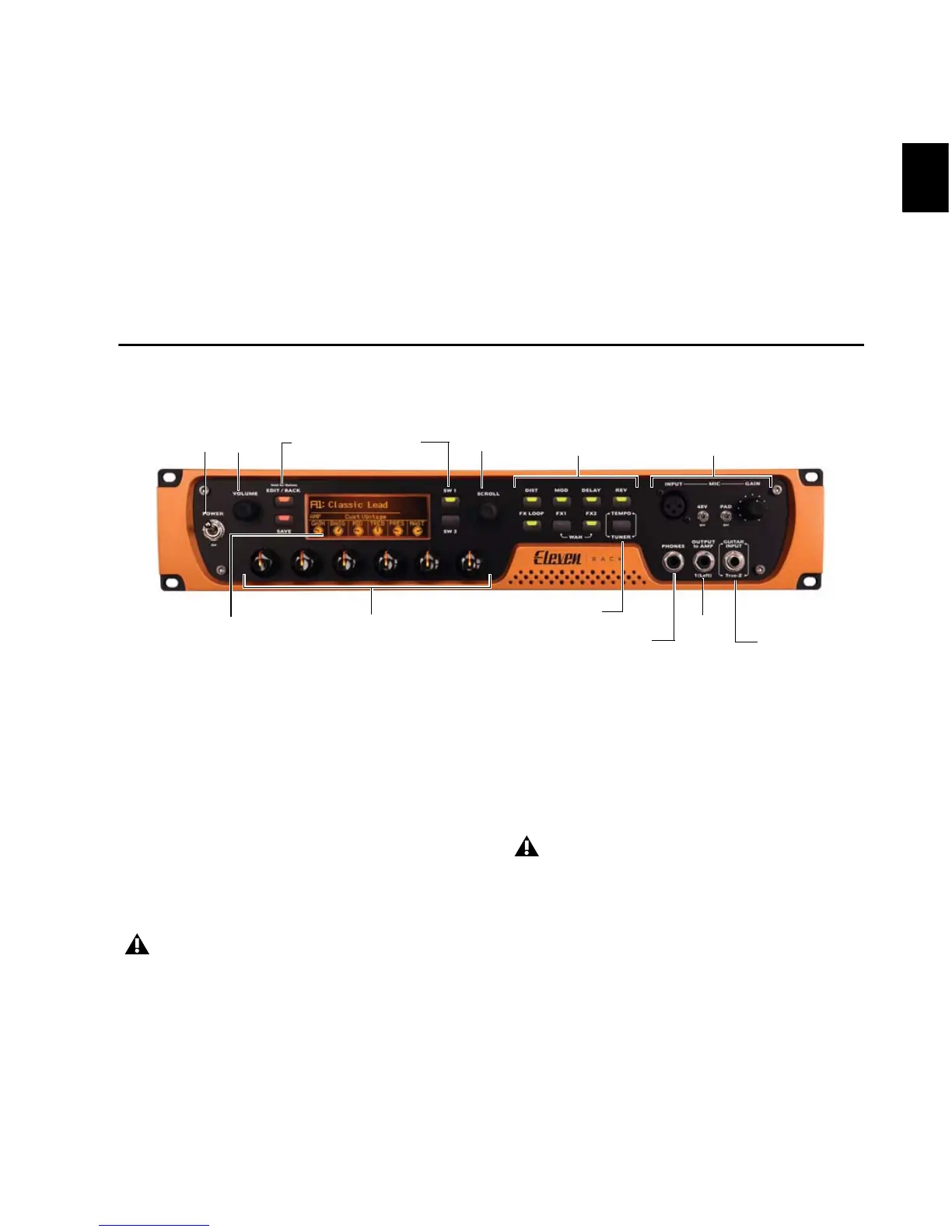
Eleven Rack Front Panel
The Eleven Rack front panel provides the
following:
Power Switch
Use the heavy-duty Power switch to turn Eleven
Rack on and off. Eleven Rack will take a few sec-
onds to warm up. When the Rig name appears
on the display, you’re ready to rock.
Volume Knob
Turning the Volume knob will simultaneously
adjust the output level of the Main outputs and
the Headphone output.
Figure 1. Eleven Rack front panel
Before you power on Eleven Rack, make
sure any powered monitors or amplifiers
are turned off or muted, and take off any
headphones.
The Volume knob can also be set to control
other output volume settings in
Eleven Rack. For more information, see
“Volume Control” on page 94.


 To Next Page