17
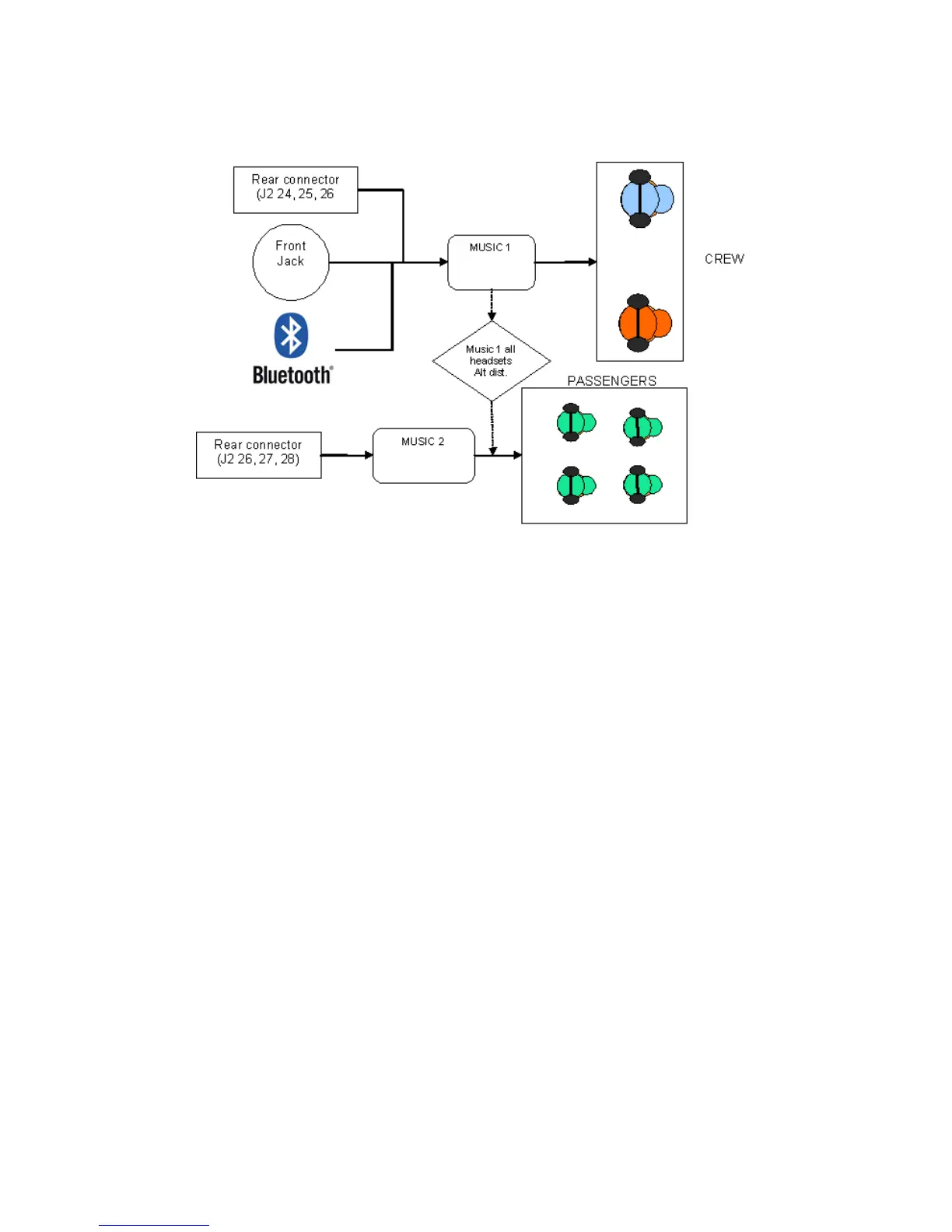
Music Overview
Note: “Rear connector” in the above diagram refers to the rear of
the audio panel, not the rear seat music connector.
Changes to the Music Distribution Function are activated by
holding Music (♫) button until the audio mode annunciation plays.
Repeat to cycle to the next mode. The two modes available are:
• Standard Music Distribution
• Music One All Headsets
The power-on default mode is the last mode selected prior to the
previous power down.


 To Next Page