11
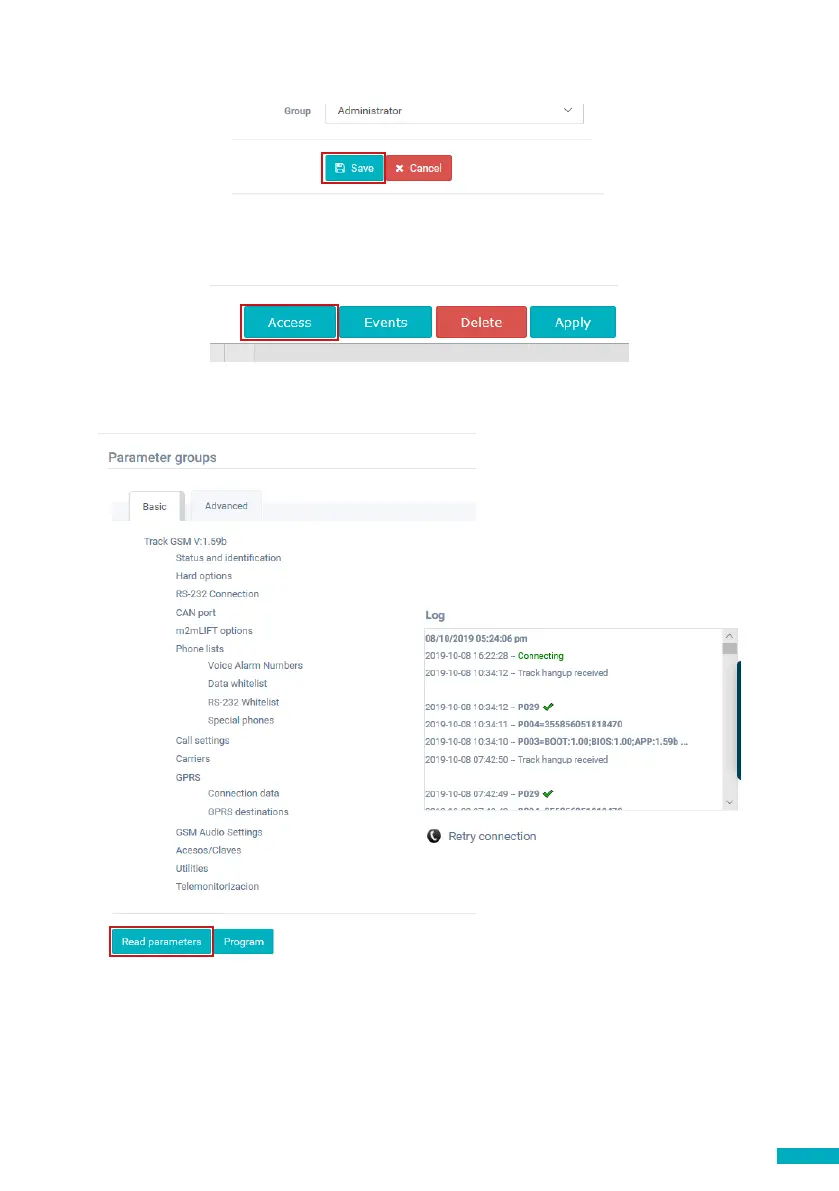
Click “Save” in the left corner under the General data column.
To make sure that everything has been set up correctly click on the green DCP button.
The buttons “Access” and “Events” should now be accessible.
Click on the “Access” button.
Please click on the “Read Parameters” button. On the right hand side of the page you
will see a window with time, date and the word “Connecting” shown in green. Once
the DCP is connected to the Avire Hub parameters will appear. This means your DCP is
ready to be connected to emergency phones and other products within our Ecosystem.


 To Next Page