Australia Default Programming
The following pages detail the full programming menu options for the Memcom
+
Emergency Telephone.
Memcom
+
is supplied with certain standard factory programming settings, specically tailored for the Australia and
New Zealand lift industries. A description of these settings is provided below.
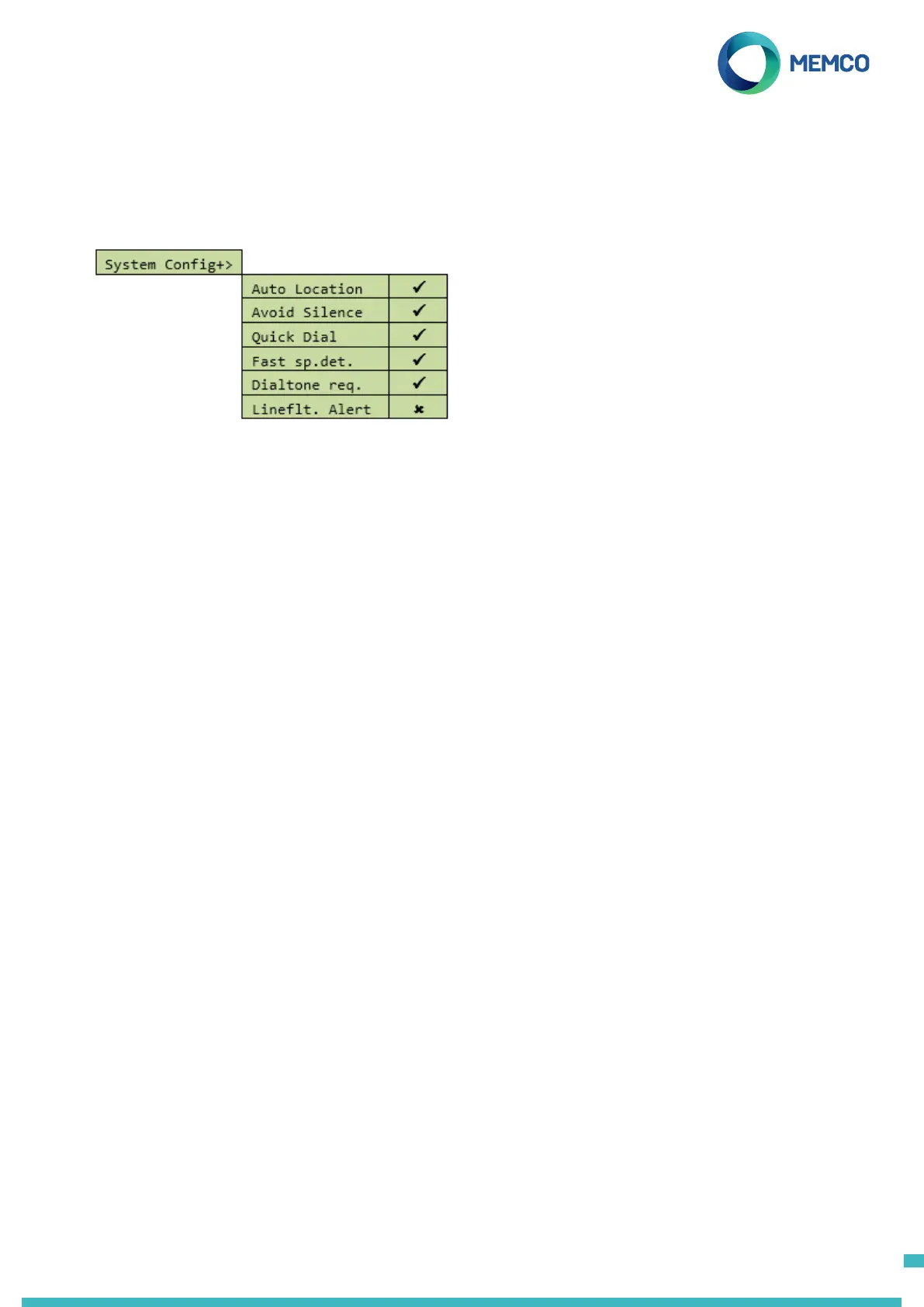
Under ‘Settings > System Cong+’ in the menu, you will nd the following settings:
Auto Location
When an operator answers an alarm call, the Memcom
+
will automatically play the location message. NOTE: when
programming in the alarm numbers ‘UNGUIDED’ protocol must be selected (see section on Alarm Numbers for
more detail).
Avoid Silence
During an alarm call the Memcom
+
will not mute its speaker, unless the operator presses the ‘2’ key on their
handset.
Quick Dial
Reduces the dial tone detection test from 7 seconds to 3 seconds – prevents issues with exchanges timing out
after 4 seconds.
Fast Speech Detect
Allows the Memcom
+
to detect speech before the rst ring pulse has been sent down the line. Used due to the
speed at which Call Centre systems in Australia answer calls.
Dialtone Required
Requires the Memcom
+
to detect a dial tone before it attempts to dial out.
Line Fault Alert
If the phone line to the Memcom
+
is cut, the unit will play an audible warning message. The message will repeat
every 3 minutes until the phone line is restored.
5



 To Next Page