Page 4
Installing SmartView 2 Modular Visual System
Routed Internet
Connection
1. Mount machine room unit in desired restricted access location using appropriate mounting hardware (See
mounting template on page 16). Unit cannot be mounted more than 61/2 feet (78 inches) off the ground.
NOTE: PLEASE WAIT UNTIL ALL CONNECTIONS ARE MADE BEFORE TURNING ON POWER TO UNIT.
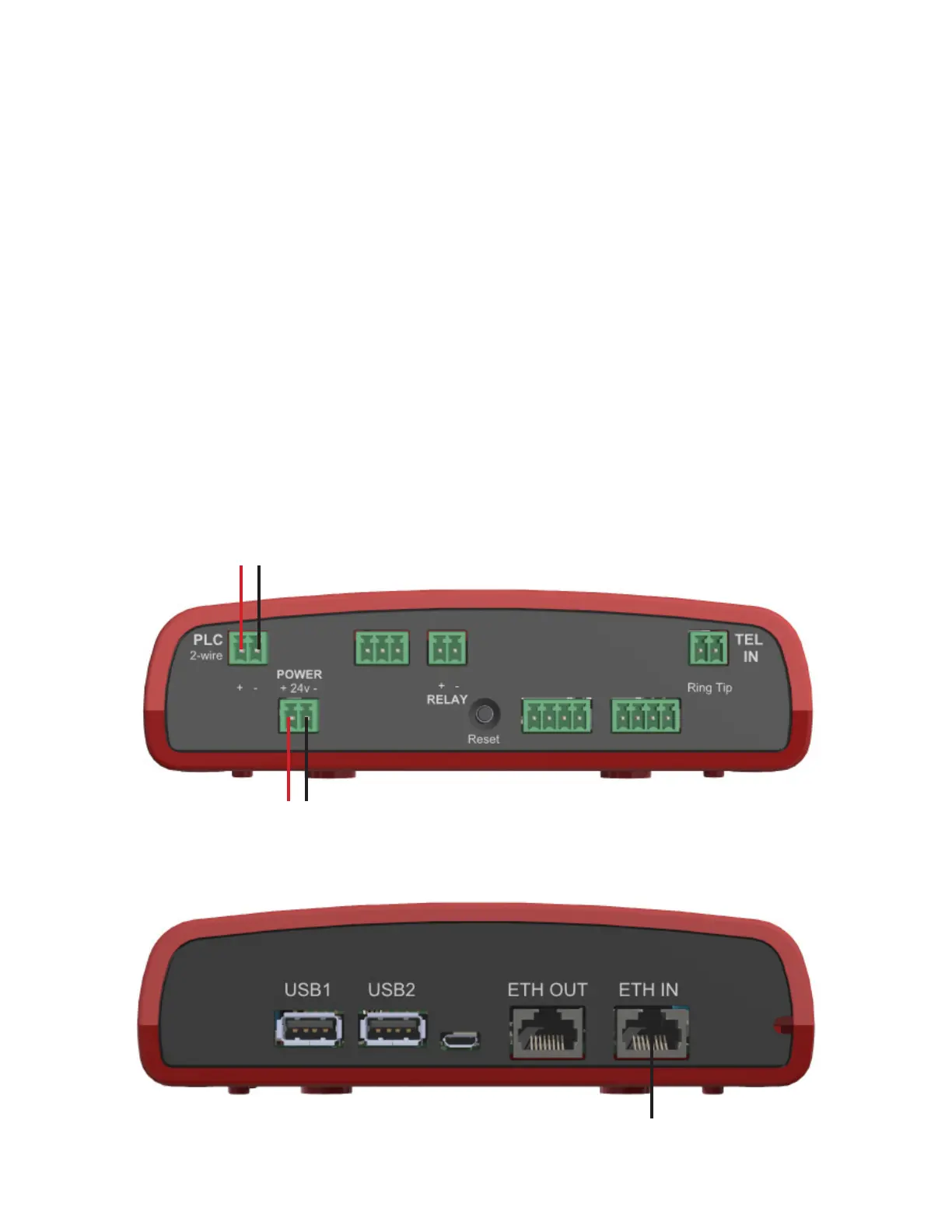
2. Identify positive and negative “POWER” terminals on machine room unit for terminating connections.
INPUT POWER IS POLARITY SENSITIVE, FAILURE TO VERIFY POLARITY MAY CAUSE DAMAGE TO UNIT.
3. Using provided plug-in transformer, plug green 2-pin terminal on the end of the transformer into the “POWER”
port on machine room unit.
NOTE: If installing multiple Machine Room units each unit needs its own plug-in transformer, they cannot be daisy-
chained.
4. Use an existing single pair of 18AWG or run a single pair of 18AWG from the machine room unit to the elevator
unit. Strip back and expose 1/4” of wire on individual conductors. Connect the wire pair to the two-pin terminal
connector then plug it into “PLC” port on machine room unit.
Maximum distance limitation from Machine Room unit to Elevator unit is 1000 ft.
Two-Wire Connection to
Elevator Unit
+
-
24vdc Power
+
-
Machine Room Unit
5. Plug an Ethernet cable from the routed Internet connection into “ETH IN” port on the machine room unit.


 To Next Page