Setting Description
(The default settings is shown in Italic bold style)
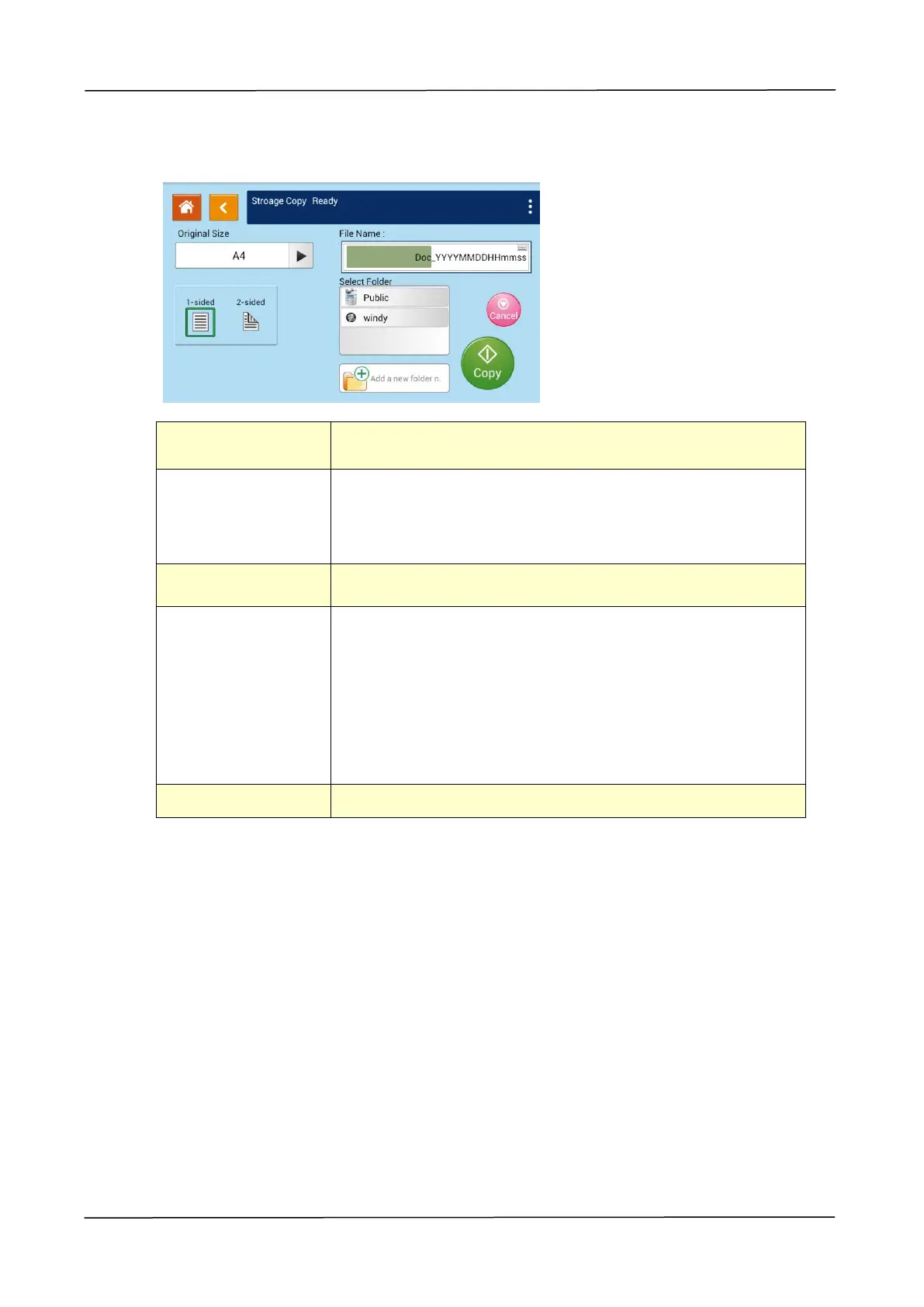
Choose your scan size. Choice: Auto, A3, A4, A4,
A5, B4, B5
1-Sided: Copy single-sided originals onto one side of
one sheet of paper.
2 -Sided: Copy double-sided original onto two sides of
one sheet of paper.
Lighten or darken your original. Levels: 1~7 (default: 4)
Store a file by your specified prefix filename.
Naming Method:Prefix_YYYYMMDDHHMMSS.file format.
For example, 「Marketing_150213144840.pdf」indicates
Marketing(prefix) 2015 (year) 2 (February) 13 (date) 14
(hour) 48 (minute) 40 (second) (the time the file has
been sent)。
Select a folder to store the job (scanned image).


 To Next Page