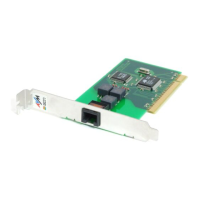
2 Installing FRITZ!Card PCI
13
As a final step of the driver software installation, an information
window with the settings of the ISDN-Controllers FRITZ!Card PCI
is displayed.
Upon completion, a message appears reporting that the FRITZ!
communications software FRITZ! can be installed. Continue from
section 2.5.
2.4.3 First Installation Steps in Windows NT 4.0
Administrator rights are required in order to install the driver
software in Windows NT 4.0.
Note that the current Microsoft Service Pack must be installed
on your computer before installing the driver software. This
software may be obtained directly from Microsoft.
Follow the instructions below for installation:
• Insert the FRITZ!Card CD in your CD-ROM drive.
••
••
• Start the Explorer. Open the folder which contains the
installation files
<CD-ROM drive>:\WINNT\
and double-click the file SETUP.EXE. The welcome screen of
the installation appears.
• Specify the folder in which the driver software is to be installed
on your computer.
• In the next window, indicate which D-channel protocol is used
on your ISDN line (DSS1 or 1TR6).
As a final step of the driver software installation, an information
window with the settings of the ISDN-Controller FRITZ!Card PCI
is displayed.
Upon completion, a message appears reporting that the FRITZ!
communications software can be installed. Continue from
section 2.5.


 To Next Page
 Loading...