19
Choose the language you want and press ‘ENT’ again to confirm.
2.5 EXTERNAL CONNECTIONS
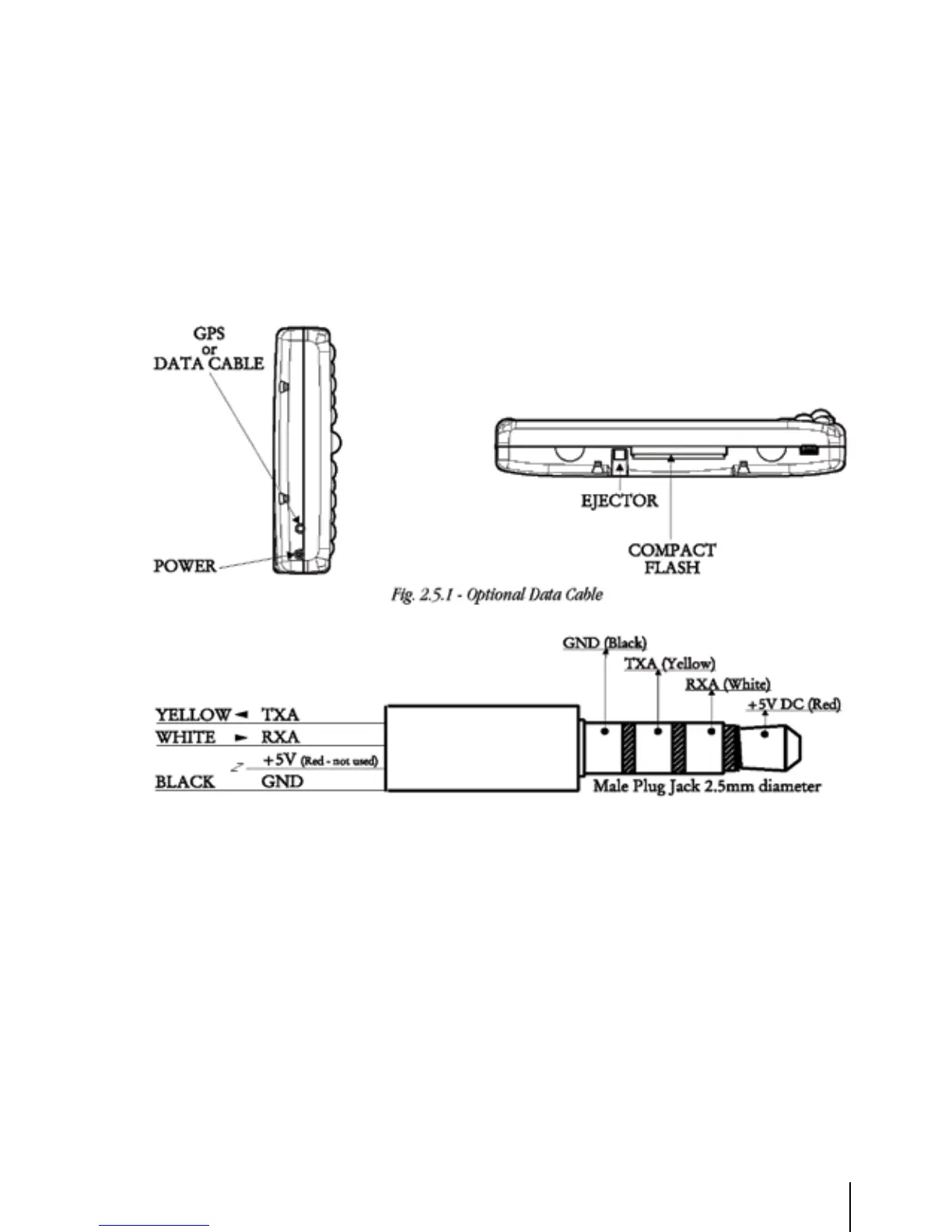
2.5.1 Down Or Up-load Flight Plans & Tracks
The GEOPILOT can also send and receive Flight Plans from the AvMap Flight Planner or another
device compatible with it through the serial port (the USB port is for factory use only). This requires
an optional data cable that can be purchased from your avionics dealer or AvMap/Navigation for a
proper connection to the device (see following figures).
Fig. 2.5.1 - Comunicazione Bi-direzionale
2.5.1.1 Download/Upload Waypoints
The Download Waypoint function allows you to send the current Waypoints to the serial port using
the NMEA0183 $WPL sentence (see Appendix E):
> ‘MENU’ 1 sec. + “COMMUNICATIONS” + ‘ENT’ + “WAYPOINTS DOWNLOAD” +
‘ENT’
The Upload Waypoint function allows you to receive Waypoints from the serial port using the
NMEA0183 $WPL sentence (see Appendix E):
> ‘MENU’ 1 sec. + “COMMUNICATIONS” + ‘ENT’ + “WAYPOINTS UPLOAD” +
‘ENT’



 To Next Page