Step 4: Connection
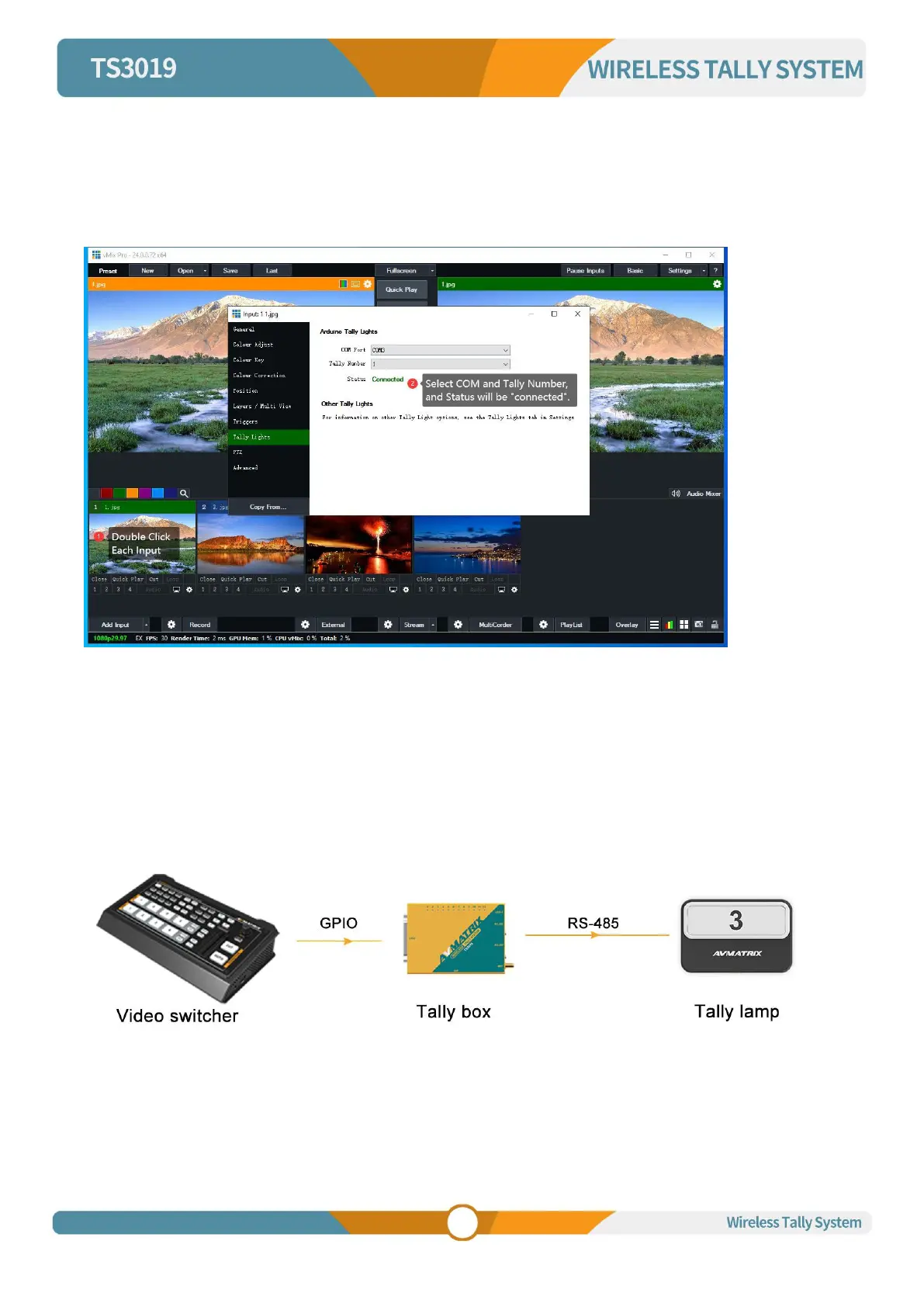
Double click each input , click Tally Lights, select the COM port status , Tally Number select the Tally
lamp corresponding to the input source, and you can finish configuring the connection.
(The COM port status as shown below is COM3, Tally Number selects lamp 1, indicator 1 on Tally box
lights up, lamp 1 will also light up, that is, the connection.)
5.2 Wired Tally Connection


 To Next Page