EasyManua.ls Logo

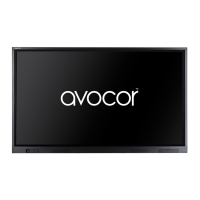
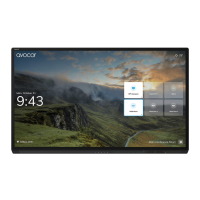
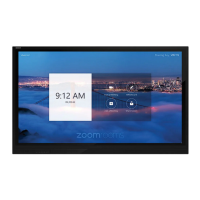
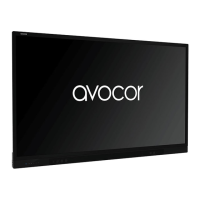
AVOCOR AVF-7550 - User Manual

AVOCOR AVF-7550
77 pages
Print Icon
To Next Page IconTo Next Page
Loading...
Revision Date: 2018/07/25
AVF-7550
Large Format Interactive Display
Model AVF-7550 Installation and Operation Manual

Table of Contents

Other manuals for AVOCOR AVF-7550

Questions and Answers

  • P
    powellrandyAug 14, 2025
    What to do if my AVOCOR Monitor remote control does not work?
    • J
      Justin StoneAug 14, 2025
      If your AVOCOR Monitor's remote control isn't working, the batteries might be dead. Try replacing them. It's also possible the buttons are locked. Unlock them by pressing OK, OK, EXIT, EXIT, OK and EXIT, in sequence.
  • K
    kentmelissaAug 18, 2025
    Why does my AVOCOR Monitor display not turn on?
    • U
      utranAug 18, 2025
      If your AVOCOR Monitor isn't turning on, it could be due to a few reasons. First, ensure that the monitor is properly plugged into an active AC outlet. Also, check if the main power switch is in the off position and set it to the on position.
  • A
    Angela NashAug 21, 2025
    What to do if there is no picture on my AVOCOR Monitor?
    • K
      kellygonzalezAug 21, 2025
      If your AVOCOR Monitor is on but showing no picture, the issue might be with the source. Ensure the source component is turned on and properly connected to the display. Also, verify that you've selected the correct source on your monitor.
  • D
    donna86Aug 25, 2025
    How to fix too dark image on AVOCOR Monitor?
    • L
      Leonard PerryAug 25, 2025
      If the image on your AVOCOR Monitor is too dark, the brightness and/or backlight settings may be too low. Increase the brightness and/or backlight settings to brighten the image.
  • S
    Samuel NicholsAug 27, 2025
    Why images from an HDMI source do not display on my AVOCOR Monitor?
    • I
      ibrooksAug 27, 2025
      If images from an HDMI source are not displaying on your AVOCOR Monitor, the HDMI cable from the source to the display might be defective or too long. Try using a known-good or shorter HDMI cable.
  • M
    mandersonAug 31, 2025
    Why is the image jittery on my AVOCOR Monitor?
    • B
      benjamin85Aug 31, 2025
      If the image on your AVOCOR Monitor is jittery or unstable, it could be due to a poor-quality or improperly connected source. Ensure the source is properly connected and of adequate quality for detection. Also, the horizontal or vertical scan frequency of the input signal may be out of range for the display; correct this at the source.
  • J
    Jennifer HolmesSep 3, 2025
    How to fix washed out image on AVOCOR Monitor?
    • Q
      qboltonSep 3, 2025
      If the image on your AVOCOR Monitor appears washed out, it could be that the brightness is set too high. Try decreasing the brightness setting. Alternatively, the contrast might be set too high, so also try decreasing the contrast setting.
  • J
    John WilliamsSep 7, 2025
    What to do if image geometry is incorrect on AVOCOR Monitor?
    • W
      William AndersonSep 7, 2025
      If the image geometry is incorrect on your AVOCOR Monitor, the aspect ratio selection may be incorrect. Try selecting a different aspect ratio.
  • K
    Kurt HuangSep 10, 2025
    What to do if computer images do not display correctly on AVOCOR Monitor?
    • E
      ellistonyaSep 10, 2025
      If computer images are not displaying correctly on your AVOCOR Monitor, the resolution and frequency of the video card in the computer might not be compatible with the display. Select a compatible resolution and vertical frequency.

AVOCOR AVF-7550 Specifications

General IconGeneral
Screen Size75 inches
Resolution3840 x 2160 (4K UHD)
Aspect Ratio16:9
Brightness350 cd/m²
Viewing Angle178°
Response Time8 ms
Touch TechnologyInfrared
Operating SystemAndroid 8.0
Storage32 GB
Display TechnologyLCD
Contrast Ratio1200:1 (Typical)
ProcessorQuad-core
PortsHDMI, USB
Touch Points20-point multi-touch

Related product manuals