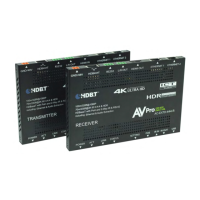
Indicator Troubleshooting Lights on the Transmitter cont.:
LINK - Above RJ45 (HDBT) Port: (Green) This indicator shows that the AV HDBT link between the Tx and Rx is in tact.
This light should ALWAYS be solid.
If this light is flashing or not present attempt following:
1. Check the length. The maximum distances are 70m (230ft) on 4K and 100m (330ft) on 1080P.
2. Remove any coils of cable and make sure that there is not excess cabling.
3. Bypass all patch panels and punch-down blocks.
4. Re-terminate connectors. Sometimes, even if a cable tester indicates the run is valid, something may be slightly off.
a. Standard RJ45 ends are recommended. Pass through style types can cause interference/crosstalk
5. Contact AVProEdge if these suggestions do not work.
STATUS- Above RJ45 (HDBT) Port: (Amber) This is an indicator showing that the power is present between the
Transmitter and Receiver. This light ALWAYS BLINKS steadily indicating everything is OK. If you do not see this light,
attempt the following:
1. Check the length. The maximum distances are 70m (230ft) on 4K and 100m (330ft) on 1080P.
2. Remove any coils of cable and make sure that there is not excess cabling.
3. Bypass all patch panels and punch-down blocks.
4. Re-terminate connectors. Sometimes, even if a cable tester indicates the run is valid, something may be just slightly off.
a. Standard RJ45 ends are recommended. Pass through style types can cause interference/crosstalk
5. Try powering from the Receiver instead of the Transmitter (See Receiver page for more about PoE direction).
6. Contact AVProEdge if these steps do not work.
• Supplying a hardwire Ethernet connection to video zones for on-device streaming and/or local gaming devices
and players.
• Supplying server based content from a server to a remote display.
• Supplying a zone with a hardwired Ethernet connection for a Wi-Fi access-point in remote zones.
Usage is plug-&-play - the ports are always active and so long as ONE of the FOUR combined ports between the Tx and
Rx is connected to the network the other three have access.
Ethernet Indicator Lights:
• AMBER - This indicates and Ethernet connection is made, and the connection is stable. This should be SOLID.
• GREEN - This indicates that there is activity on the line. This light flashes randomly as data is transmitted. If this light
is steady OFF there is no data coming through or you may need to reset the Ethernet router.
Ethernet Lights & Usage:
Ethernet usage is very straight-forward. It is used for driving network communication over the HDbaseT link. The
purpose of these ports is to act as a "Hub", if you plug one port into a router all the other ports on both the Tx & Rx now
have access to the network.
Usage Examples:


 To Next Page
 Loading...